
Chronos od Tryton, Cédric Krier
Manage timesheets in Tryton
45 uživatelů45 uživatelů
Metadata rozšíření
Snímky obrazovky
O tomto rozšíření
Manage timesheets in Tryton
Encode and manage time-sheet lines from browser to your Tryton server.
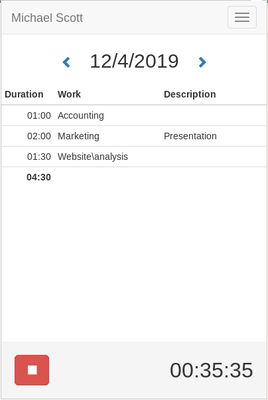
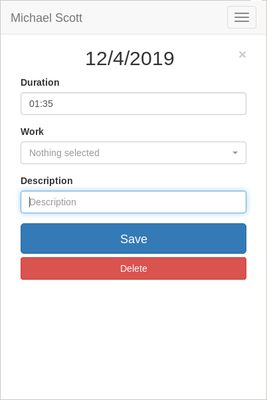
With Chronos, you can enter quickly the time spend on tasks directly from the browser without having to login to the Tryton server.
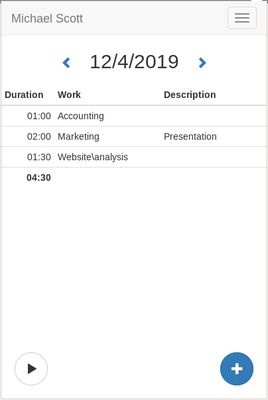
You will have a summary of the tasks per day including the total of time and could navigate through dates.
Chronos works also offline, you can encode new line, update or remove existing. They will be synchronized automatically later when the browser is back online.
To setup, you must first register Chronos to your Tryton server with the address, the database and your username. The server must have the timesheet module activated. Once registered, the application must be validated on the user preferences dialog from Tryton.Encode and manage your Tryton time-sheets quickly from within your browser.
Encode and manage time-sheet lines from browser to your Tryton server.
With Chronos, you can enter quickly the time spend on tasks directly from the browser without having to login to the Tryton server.
You will have a summary of the tasks per day including the total of time and could navigate through dates.
Chronos works also offline, you can encode new line, update or remove existing. They will be synchronized automatically later when the browser is back online.
To setup, you must first register Chronos to your Tryton server with the address, the database and your username. The server must have the timesheet module activated. Once registered, the application must be validated on the user preferences dialog from Tryton.Encode and manage your Tryton time-sheets quickly from within your browser.
Ohodnoceno 5 1 redaktorem
Oprávnění a data
Další informace
- Odkazy doplňku
- Verze
- 0.8.2
- Velikost
- 311,55 KB
- Poslední aktualizace
- před 5 lety (7. úno 2021)
- Příbuzné kategorie
- Historie změn
- Přidat do sbírky