FindOnPage Bookmarklets von beccare
Add dynamically page highlighting buttons according to a previous Google search. Meant to become a replacement for the famous SearchWP on Firefox Quantum.
15 Benutzer15 Benutzer
Metadaten zur Erweiterung
Screenshots
Über diese Erweiterung
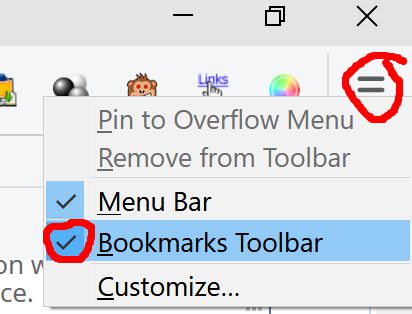
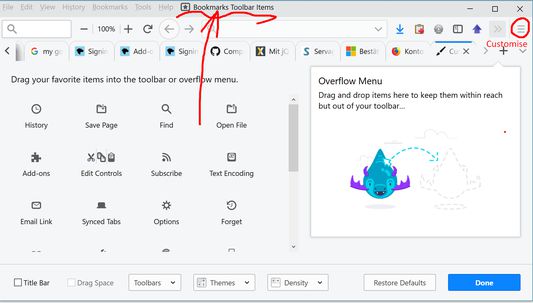
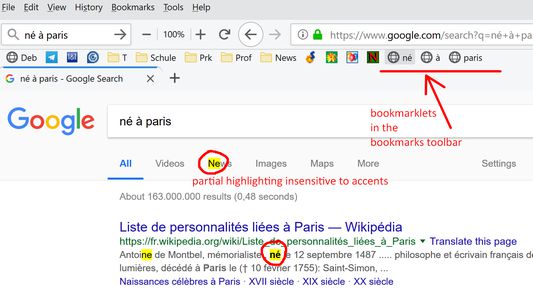
When visiting a Google*) Search result page, for every keyword a bookmark with javascript (i.e. a bookmarklet) is added to the bookmarks toolbar. Make sure you have that toolbar visible, see the other screenshots on the Firefox add-on page. Each bookmarklet highlights its keyword in any open browser tab and scrolls that page to the n_th occurence when clicked n times.
An extra bookmarklet with a black triangle ▲ scrolls upwards to the previous occurence of the current search term
The bookmarklet with half a square ◧ toggles between exact and partial match ("new" matches "news")
Preconfigured for Google, Bing, Duckduckgo, Yandex. See options.
Note: Highlighting won't work on pages where Content Security Policy (CSP) blocks bookmarklets in general (e.g. news.google and yandex .com).
An extra bookmarklet with a black triangle ▲ scrolls upwards to the previous occurence of the current search term
The bookmarklet with half a square ◧ toggles between exact and partial match ("new" matches "news")
Preconfigured for Google, Bing, Duckduckgo, Yandex. See options.
Note: Highlighting won't work on pages where Content Security Policy (CSP) blocks bookmarklets in general (e.g. news.google and yandex .com).
Bewertet mit 4,4 von 7 Bewertern
Berechtigungen und Daten
Benötigte Berechtigungen:
- Lesezeichen lesen und verändern
- Auf Ihre Daten für diverse Websites zugreifen
Weitere Informationen
- Add-on-Links
- Version
- 1.3resigned1
- Größe
- 67,79 KB
- Zuletzt aktualisiert
- vor 2 Jahren (25. Apr. 2024)
- Verwandte Kategorien
- Versionsgeschichte
- Zur Sammlung hinzufügen
The content script attaches an eventListener for swpfsmod to the current document, which handles the highlighting etc. of the current tab using the JQuery 3.3.1. javascript library (https://jquery.com/) and the
Mark.js highlighting extension (https://markjs.io/).