
UXI Recorder von Mamello Seboholi
Captive Portal Recorder for HPE Aruba Networking - User Experience Insight.
51 Benutzer51 Benutzer
Metadaten zur Erweiterung
Screenshots


Über diese Erweiterung
HPE Aruba Networking User Experience Insight (UXI) is a digital experience monitoring solution that validates network health, application performance and troubleshoots problems that affect day-to-day user experience on any network.
For networks with captive portals, the UXI sensor needs to know how to interact with the captive portal to get on the network. Using this extension, you can record your interaction with the captive portal. The UXI sensors will use this recording produced by this extension to connect to the network.
To get started:
- Connect to the network of interest and make sure you are not currently authenticated to the captive portal. The extension will indicate "Already Online" if a captive portal is not detected and you have internet access.
- Launch the UXI Recorder firefox extension. When prompted, press Record. A new tab will appear.
- In the new tab, perform the actions on the captive portal to connect to the network.
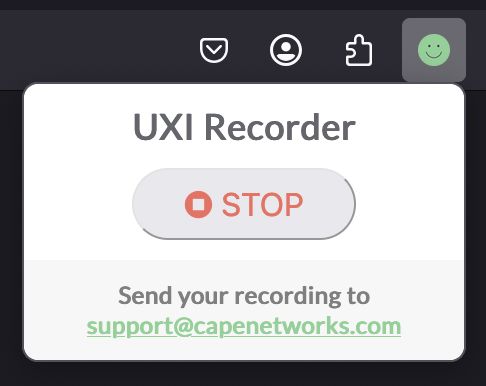
- Once you complete the interaction, the recording will automatically be downloaded. If you don't see it, navigate to the original tab and press Stop.
For networks with captive portals, the UXI sensor needs to know how to interact with the captive portal to get on the network. Using this extension, you can record your interaction with the captive portal. The UXI sensors will use this recording produced by this extension to connect to the network.
To get started:
- Connect to the network of interest and make sure you are not currently authenticated to the captive portal. The extension will indicate "Already Online" if a captive portal is not detected and you have internet access.
- Launch the UXI Recorder firefox extension. When prompted, press Record. A new tab will appear.
- In the new tab, perform the actions on the captive portal to connect to the network.
- Once you complete the interaction, the recording will automatically be downloaded. If you don't see it, navigate to the original tab and press Stop.
Bewertet mit 0 von 0 Bewertern
Berechtigungen und Daten
Benötigte Berechtigungen:
- Dateien herunterladen und die Download-Chronik lesen und verändern
- Auf Browsertabs zugreifen
- Auf Ihre Daten für diverse Websites zugreifen
Weitere Informationen
- Add-on-Links
- Version
- 0.0.18
- Größe
- 262,65 KB
- Zuletzt aktualisiert
- vor einem Jahr (25. Feb. 2025)
- Verwandte Kategorien
- Lizenz
- Alle Rechte vorbehalten
- Versionsgeschichte
- Zur Sammlung hinzufügen