
Proxy Toggle by Ben
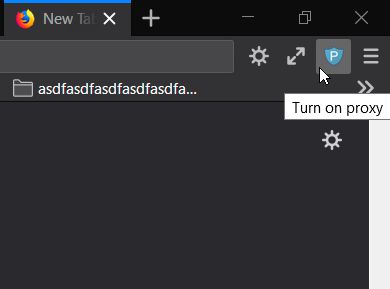
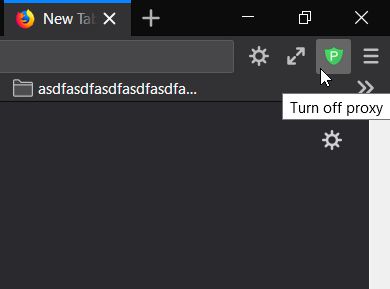
Button to switch between system-set (off) and manually-set (on) proxy.
238 Users238 Users
Extension Metadata
Screenshots
About this extension
This extension uses the existing proxy settings in Firefox. It simply adds a toggle button to the toolbar.
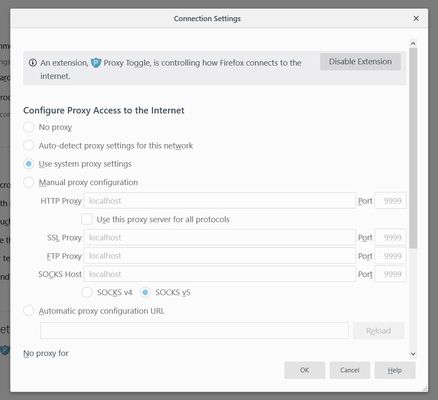
The Firefox proxy settings are in:
[Options > General > Network Settings > Configure Proxy Access to the Internet].
To change the proxy configuration or the default on/off state:
The add-on must be allowed in Private Windows to work (FF 67+).
Advanced note:
The extension resets the proxy setting on startup. If there are no other extensions modifying it, the setting will revert to the user-set value. To learn more about how Firefox manages setting changes, see Firefox BrowserSetting (MDN).
The Firefox proxy settings are in:
[Options > General > Network Settings > Configure Proxy Access to the Internet].
To change the proxy configuration or the default on/off state:
- Disable the extension.
- Change the Firefox proxy settings.
- Re-enable the extension.
The add-on must be allowed in Private Windows to work (FF 67+).
Advanced note:
The extension resets the proxy setting on startup. If there are no other extensions modifying it, the setting will revert to the user-set value. To learn more about how Firefox manages setting changes, see Firefox BrowserSetting (MDN).
Rated 4 by 31 reviewers
Permissions and data
More information
- Add-on Links
- Version
- 1.3
- Size
- 30.17 KB
- Last updated
- 7 years ago (Oct 27, 2019)
- Related Categories
- License
- All Rights Reserved
- Version History
- Add to collection