Print PDF tekijä Senthil Ponnusamy
Print any Webpage to PDF. No server or third-party processing. Uses built-in Firefox converter.
1 529 käyttäjää1 529 käyttäjää
Laajennuksen metatiedot
Kuvakaappaukset
Tietoja tästä laajennuksesta
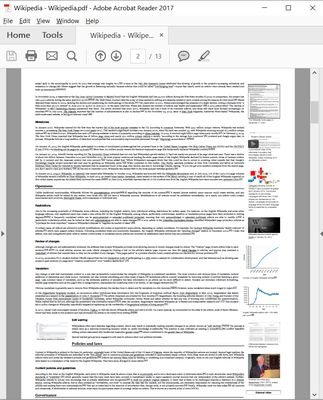
You can print/save any webpage to PDF by any of the following methods.
- A Single click on the icon.
- Keyboard Shortcut - Ctrl+Alt+P.
- You can customize the shortcut.
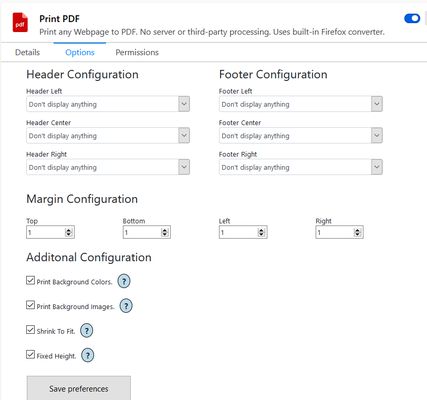
In the configuration panel, you can configure the following-
- Page margins.
- Page header/footer.
- Include or exclude Background images.
- Include or exclude Background color.
- Shrink to one page PDF.
- Fixed Height for longer pages.
- Default configuration will just work.
- A Single click on the icon.
- Keyboard Shortcut - Ctrl+Alt+P.
- You can customize the shortcut.
In the configuration panel, you can configure the following-
- Page margins.
- Page header/footer.
- Include or exclude Background images.
- Include or exclude Background color.
- Shrink to one page PDF.
- Fixed Height for longer pages.
- Default configuration will just work.
Arvio 3,5 15 arvostelijan toimesta
Lisätietoja
- Lisäosan linkit
- Versio
- 2.0
- Koko
- 98,5 kt
- Viimeksi päivitetty
- kolme vuotta sitten (16. helmi 2023)
- Liittyvät luokat
- Lisenssi
- Kaikki oikeudet pidätetään
- Versiohistoria
- Lisää kokoelmaan
Tämän laajennuksen kehittäjä pyytää taloudellista tukeasi laajennuksen kehityksen jatkamiseksi.