History Cleaner (History Eraser) par Andy Portmen
Quickly delete/wipe your browser history for a defined period with one click
607 utilisateurs·trices607 utilisateurs·trices
MĂ©tadonnĂ©es de lâextension
Captures dâĂ©cran
Ă propos de cette extension
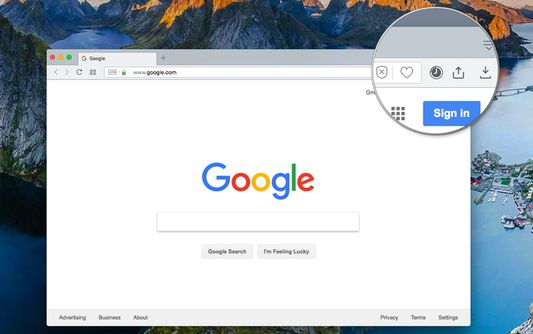
This extension is the simplest method to clear your browser history for a specific time frame. You have the flexibility to set a custom period through the options page, as well as define the zone for which you wish to delete the history data.
For a more thorough cleaning experience, try out my eCleaner:
https://addons.mozilla.org/en-US/firefox/addon/ecleaner-forget-button/
With this extension, you can delete the history from three distinct contexts:
1. Regular websites
2. Protected websites (Websites installed as hosted applications)
3. Extensions zone (Installed extensions and packaged applications)
Modes of Operation:
1. Using the User Interface (UI): Click on the browser action, choose the desired cleaning period, and press the "Run Cleaning" button.
2. Headless Mode (Single Click): Select the "Do not show this window" option after opening the interface. From then on, when you click on the browser action, the extension will automatically run the cleaning job in headless mode.
Frequently Asked Questions (FAQs):
- How can I restore the interface in headless mode?
Open the options page and uncheck the "Do not show this window" option.
For a more thorough cleaning experience, try out my eCleaner:
https://addons.mozilla.org/en-US/firefox/addon/ecleaner-forget-button/
With this extension, you can delete the history from three distinct contexts:
1. Regular websites
2. Protected websites (Websites installed as hosted applications)
3. Extensions zone (Installed extensions and packaged applications)
Modes of Operation:
1. Using the User Interface (UI): Click on the browser action, choose the desired cleaning period, and press the "Run Cleaning" button.
2. Headless Mode (Single Click): Select the "Do not show this window" option after opening the interface. From then on, when you click on the browser action, the extension will automatically run the cleaning job in headless mode.
Frequently Asked Questions (FAQs):
- How can I restore the interface in headless mode?
Open the options page and uncheck the "Do not show this window" option.
Noté 4 par 13 personnes
Autorisations et données
Autorisations nécessaires :
- Effacer lâhistorique de navigation rĂ©cent, les cookies et les donnĂ©es liĂ©es
Plus dâinformations
- Liens du module
- Version
- 0.2.1
- Taille
- 316,13Â Ko
- DerniĂšre mise Ă jour
- il y a 2 ans (24 juil. 2023)
- Catégories associées
- Licence
- Mozilla Public License 2.0
- Historique des versions
- Ajouter Ă la collection
Le dĂ©veloppeur de cette extension demande que vous lâaidiez Ă assurer la poursuite de son dĂ©veloppement en lui versant une petite contribution.