Add-ons foar Firefox Browser
Utwreidingen
Tema’s
Mear…
foar Firefox
Wurdboeken en taalpakketten
Oare browserwebsites
Add-ons foar Android
Oanmelde
Sykje
Sykje
Content Edit & Blur
troch
Hasan Abo-Shally
Easily edit or blur elements on any webpage
4 (4 beoardielingen)
4 (4 beoardielingen)
97 brûkers
97 brûkers
Firefox downloade en de útwreiding ûntfange
Bestân downloade
Metadata útwreiding
Skermôfbyldingen
Oer dizze útwreiding
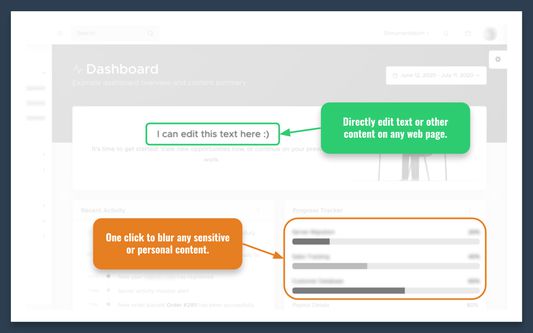
Install this extension to directly edit text or content on any webpage and to blur sensitive/personal data, when sharing screenshots for example.
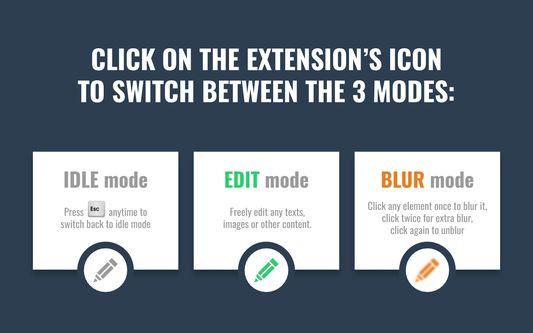
-- Click on the extension’s icon to switch between the 3 modes: Idle, Edit, Blur.
-- In Blur mode: Click any element once to blur it, click twice for extra blur, click again to unblur.
-- In Edit mode: Double-click any image to replace it
-- Press the ESC key anytime to switch back to Idle mode
Wurdearre: 4 troch 4 beoardielers
Meld jo oan om dizze útwreiding te wurdearjen
Der binne noch gjin wurdearringen
Stjer-wurdearring wurdt bewarre
5
3
4
0
3
0
2
0
1
1
Mear ynformaasje
Add-on-keppelingen
Startside
Stipewebsite
E-mailadres foar stipe
Ferzje
1.3.0
Grutte
21,37 KB
Lêst bywurke
5 jierren lyn (4 nov. 2020)
Sibbe kategoryen
Webûntwikkeling
Foarmjouwing
Lisinsje
Mozilla Public License 2.0
Ferzjeskiednis
Alle ferzjes besjen
Tafoegje oan kolleksje
Selektearje in kolleksje…
Nije kolleksje meitsje
Dizze add-on rapportearje