Add-ons foar Firefox Browser
  • Utwreidingen
  • Tema’s
    • foar Firefox
    • Wurdboeken en taalpakketten
    • Oare browserwebsites
    • Add-ons foar Android
Oanmelde
Foarbyld fan QR Issue Card Printer PRO for Jira Cloud

QR Issue Card Printer PRO for Jira Cloud troch MrAddon

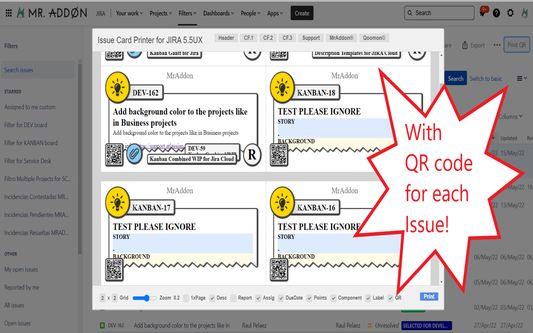
Print your filters and issues with a single click, with a configurable and beautiful layout.Show a large QR code in each card to quickly locate your tickets.Now you can also print from your Kanban or Scrum board and from your backlog view!New feature

EksperiminteelEksperiminteel
0 (0 beoardielingen)0 (0 beoardielingen)
2 brûkers2 brûkers
Firefox downloade en de útwreiding ûntfange
Bestân downloade

Metadata útwreiding

Skermôfbyldingen
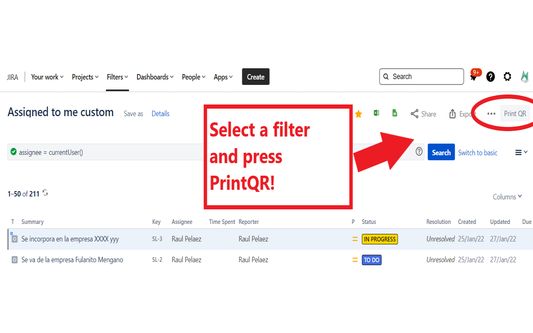
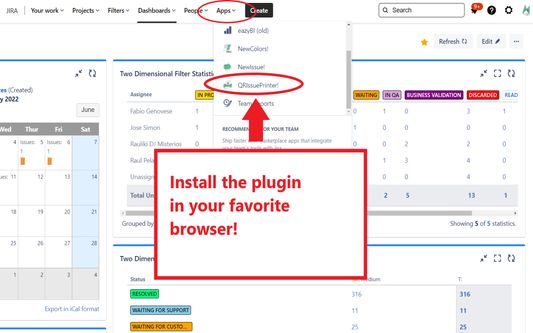
Install the add-on in your favorite browser!
Go to Apps → QRIssuePrinter! and install the add-on in your favorite browserPush PrintQR! button in issues, filters or boards
That’s all! Now take a look in your Issues, Filters and Kanban/SCRUM boards and backlogs and you will see a new button “Print QR”Ready to print in one click!!
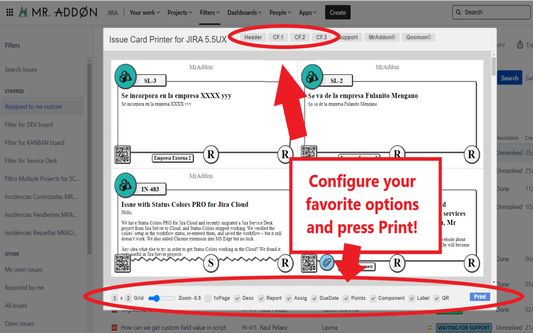
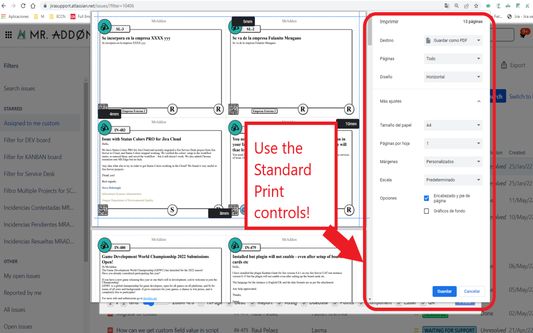
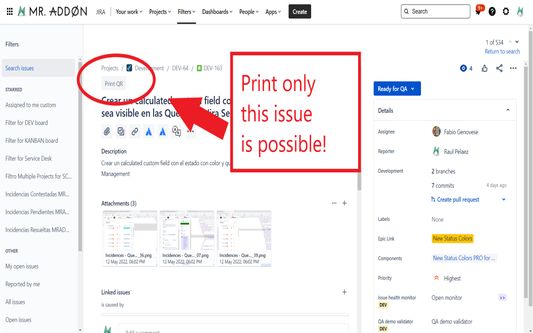
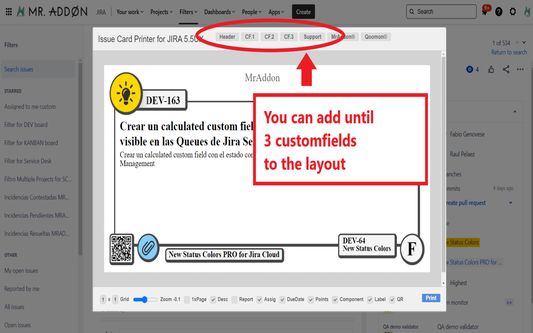
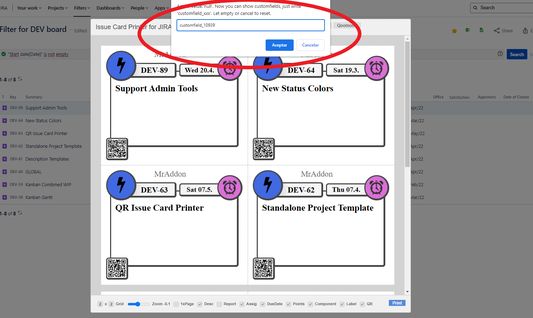
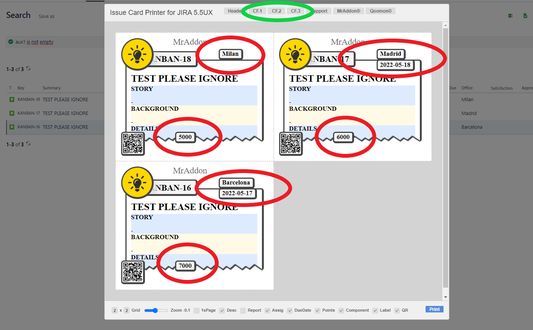
After press the “Print QR” button you will see a beatiful cards ready to print in one click!!Just configure the final part, page margins and Save it as PDF or just print in your usual printer!Now we can configure show/hide the system fields of Jira, we have a Zoom control and grid control, also of course, the QR code.If you need to print only one issue, it’s possible of course! Search the “Print QR” button and that’s all!Click in CF1 or CF2 or CF3 buttons and add the “customfield_xxxx” value where “xxxx” is the ID of the customfieldClick in CF1 or CF2 or CF3 buttons and add the “customfield_xxxx” value where “xxxx” is the ID of the customfieldClick in CF1 or CF2 or CF3 buttons and add the “customfield_xxxx” value where “xxxx” is the ID of the customfield
Oer dizze útwreiding
Print your filters and issues with a single click, with a configurable and beautiful layout.Show a large QR code in each card to quickly locate your tickets.Now you can also print from your Kanban or Scrum board and from your backlog view!New features coming soon!

Install the add-on in your favorite browser!
Go to Apps → QRIssuePrinter! and install the add-on in your favorite browser

Push PrintQR! button in issues, filters or boards
That’s all! Now take a look in your Issues, Filters and Kanban/SCRUM boards and backlogs and you will see a new button “Print QR”

Ready to print in one click!!
After press the “Print QR” button you will see a beatiful cards ready to print in one click!!

Vide summary: https://www.youtube.com/watch?v=AVp7n4f4qUk
Wurdearre: 0 troch 0 beoardielers
Meld jo oan om dizze útwreiding te wurdearjen
Der binne noch gjin wurdearringen

Stjer-wurdearring wurdt bewarre

5
0
4
0
3
0
2
0
1
0
Noch gjin beoardelingen
Tastimmingen en gegevens

Fereaske machtigingen:

  • Jo gegevens foar websites yn it domein atlassian.net benaderje
  • Jo gegevens foar websites yn it domein jira.com benaderje

Opsjonele machtigingen:

  • Jo gegevens foar websites yn it domein atlassian.net benaderje
  • Jo gegevens foar websites yn it domein jira.com benaderje
Mear ynfo
Mear ynformaasje
Add-on-keppelingen
  • Startside
  • Stipewebsite
  • E-mailadres foar stipe
Ferzje
7.3.0
Grutte
170,84 KB
Lêst bywurke
5 dagen lyn (18 des. 2025)
Sibbe kategoryen
  • Webûntwikkeling
Lisinsje
Mozilla Public License 2.0
Ferzjeskiednis
  • Alle ferzjes besjen
Tafoegje oan kolleksje
Dizze add-on rapportearje
Nei Mozilla’s startside

Add-ons

  • Oer
  • Firefox-add-onsblog
  • Utwreidingsworkshop
  • Untwikkelershub
  • Untwikkelersbelied
  • Mienskipsblog
  • Foarum
  • In bug melde
  • Beoardielingsrjochtlinen

Browser

  • Desktop
  • Mobile
  • Enterprise

Produkten

  • Browsers
  • VPN
  • Relay
  • Monitor
  • Pocket
  • Bluesky (@firefox.com)
  • Instagram (Firefox)
  • YouTube (firefoxchannel)
  • Privacy
  • Cookies
  • Juridysk

Utsein oars vermeld, is op de ynhâld fan dizze website de Creative Commons Attribution Share-Alike License v3.0 of lettere ferzje fan tapassing.