Traverse TECHNIA troch Pallav Gupta
Navigate to all the content , Manage JIRA and Monitor,export the time spent
1 brûker1 brûker
Metadata útwreiding
Skermôfbyldingen
Oer dizze útwreiding
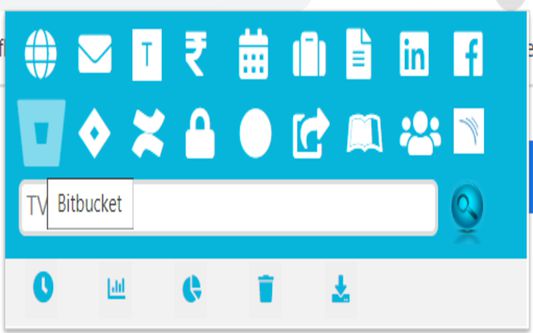
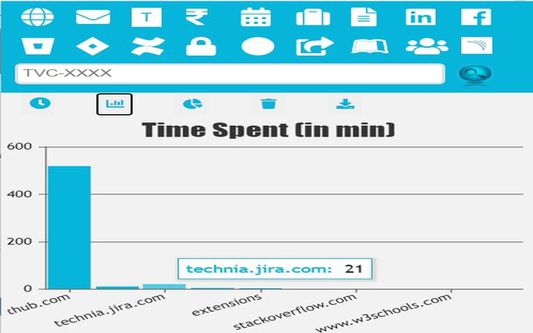
Easy Access to URLs,Manage JIRA and Hassle-free access to monitor your daily time on the browser with functions such as chart view, pie-view or even download and delete the data.
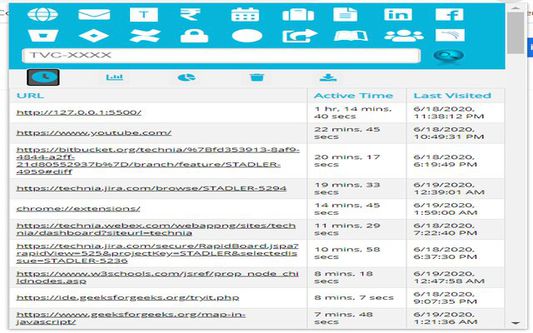
1.) Button Monitor time will load a table which displays URLS, Active Time Spent on these URLs and Last Visited date on the URL.
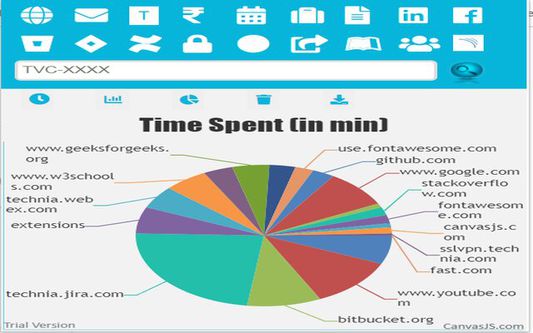
2.) Button Chart-Bar/Pie-Chart will display the data of time spent across different tabs in chrome in form of a bar-chart.
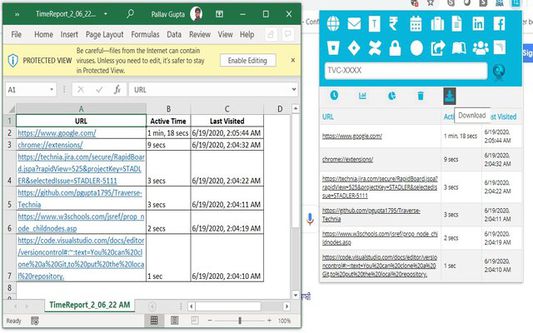
3.) Button DELETE and EXPORT will delete and export the entire table/chart.
1.) Button Monitor time will load a table which displays URLS, Active Time Spent on these URLs and Last Visited date on the URL.
2.) Button Chart-Bar/Pie-Chart will display the data of time spent across different tabs in chrome in form of a bar-chart.
3.) Button DELETE and EXPORT will delete and export the entire table/chart.
Hassle-free access to monitor your daily time on the browser with functions such as chart view, pie-view or even download and delete the data
Wurdearre: 5 troch 1 beoardieler
Tastimmingen en gegevens
Mear ynformaasje
- Add-on-keppelingen
- Ferzje
- 1.0.0.4
- Grutte
- 749,93 KB
- Lêst bywurke
- 6 jierren lyn (6 jul. 2020)
- Sibbe kategoryen
- Lisinsje
- Mozilla Public License 2.0
- Ferzjeskiednis
- Tafoegje oan kolleksje