
UXI Recorder Mamello Seboholi מאת
Captive Portal Recorder for HPE Aruba Networking - User Experience Insight.
47 משתמשים47 משתמשים
נתוני העל של ההרחבה
צילומי מסך


על אודות הרחבה זו
HPE Aruba Networking User Experience Insight (UXI) is a digital experience monitoring solution that validates network health, application performance and troubleshoots problems that affect day-to-day user experience on any network.
For networks with captive portals, the UXI sensor needs to know how to interact with the captive portal to get on the network. Using this extension, you can record your interaction with the captive portal. The UXI sensors will use this recording produced by this extension to connect to the network.
To get started:
- Connect to the network of interest and make sure you are not currently authenticated to the captive portal. The extension will indicate "Already Online" if a captive portal is not detected and you have internet access.
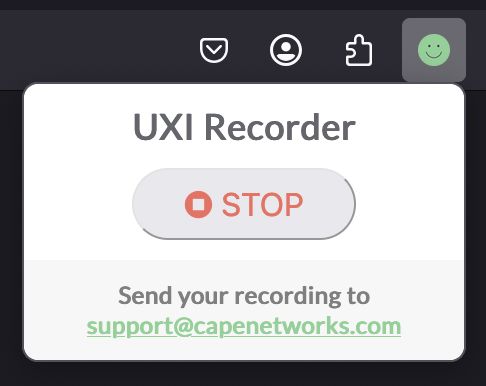
- Launch the UXI Recorder firefox extension. When prompted, press Record. A new tab will appear.
- In the new tab, perform the actions on the captive portal to connect to the network.
- Once you complete the interaction, the recording will automatically be downloaded. If you don't see it, navigate to the original tab and press Stop.
For networks with captive portals, the UXI sensor needs to know how to interact with the captive portal to get on the network. Using this extension, you can record your interaction with the captive portal. The UXI sensors will use this recording produced by this extension to connect to the network.
To get started:
- Connect to the network of interest and make sure you are not currently authenticated to the captive portal. The extension will indicate "Already Online" if a captive portal is not detected and you have internet access.
- Launch the UXI Recorder firefox extension. When prompted, press Record. A new tab will appear.
- In the new tab, perform the actions on the captive portal to connect to the network.
- Once you complete the interaction, the recording will automatically be downloaded. If you don't see it, navigate to the original tab and press Stop.
מדורג 0 על־ידי 0 סוקרים
הרשאות ונתונים
הרשאות נדרשות:
- הורדת קבצים, קריאה ועריכת היסטוריית ההורדות של הדפדפן
- גישה ללשוניות
- גישה לנתונים שלך מכל האתרים
מידע נוסף
- קישורים לתוספת
- גרסה
- 0.0.18
- גודל
- 262.65 ק״ב
- עדכון אחרון
- לפני שנה (25 פבר׳ 2025)
- קטגוריות קשורות
- רישיון
- כל הזכויות שמורות
- היסטוריית הגרסאות
- הוספה לאוסף