YouTube Audio Sync Tool Hirox מאת
Fix YouTube audio sync problem by adjusting audio timing
171 משתמשים171 משתמשים
נתוני העל של ההרחבה
צילומי מסך
על אודות הרחבה זו
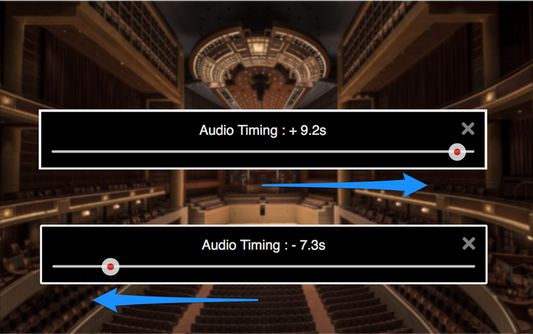
Fix YouTube audio sync problems by adjusting audio timing in intervals of 0.1 seconds. It helps when watching videos that have out-of-sync audio, or when using wireless audio systems that have audio delay.
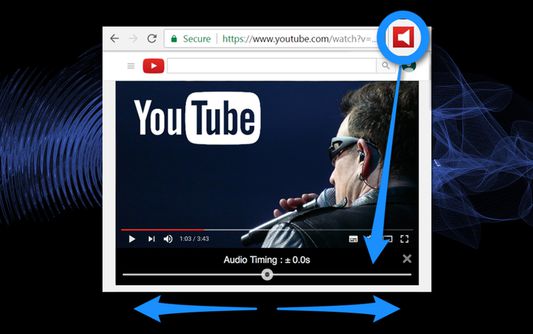
1. Audio timing adjustment slider appears under the video screen on your YouTube page with a click of the tool icon.
2. Adjust audio timing to sync audio and video by moving the slider.
- "YouTube" and the "YouTube logo" are registered trademarks of Google Inc.
- The images used in screenshots are provided under Creative Commons (CC0) license.
1. Audio timing adjustment slider appears under the video screen on your YouTube page with a click of the tool icon.
2. Adjust audio timing to sync audio and video by moving the slider.
- "YouTube" and the "YouTube logo" are registered trademarks of Google Inc.
- The images used in screenshots are provided under Creative Commons (CC0) license.
מדורג 1.6 על־ידי 26 סוקרים
הרשאות ונתונים
מידע נוסף
- גרסה
- 0.0.6resigned1
- גודל
- 155.02 ק״ב
- עדכון אחרון
- לפני שנתיים (25 אפר׳ 2024)
- קטגוריות קשורות
- היסטוריית הגרסאות
- הוספה לאוסף