Dodaci za preglednik Firefox
Proširenja
Teme
Više …
za Firefox
Rječnici i jezični paketi
Druge stranice preglednika
Dodaci za Android
Prijavi se
Traži
Traži
AO3 Editor
Autor:
ireneae
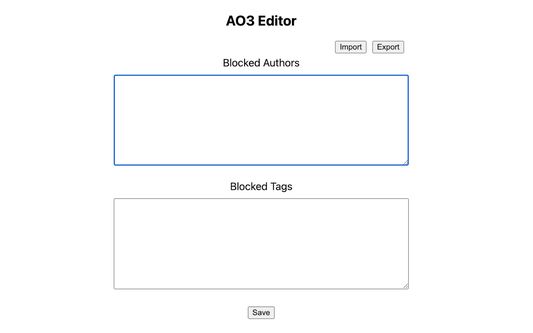
Allows hiding authors and tags so they will not appear in AO3 search.
Eksperimentalno
Eksperimentalno
5 (1 recenzija)
5 (1 recenzija)
4 korisnika
4 korisnika
Preuzmi Firefox i nabavi proširenje
Preuzmi datoteku
Metapodaci proširenja
Snimke ekrana
Informacije o ovom proširenju
Allows hiding authors and tags so they will not appear in AO3 search.
Usage
Blocking tags
In the AO3 search page, right-click on an author/tag/work and click "Block author"/"Block tag"/"Block work".
Refresh the page; it should no longer be visible.
Unblocking tags
Go to extension options (about:addons -> "Preferences")
Delete any lines you no longer want to block.
Click "Save".
Ocjena 5 od jednog recenzenta
Prijavi se i ocijeni ovo proširenje
Još nema ocjena
Ocjena je spremljena
5
1
4
0
3
0
2
0
1
0
Dozvole i podaci
Potrebne dozvole:
Pristup tvojim podacima za archiveofourown.org
Daljnje informacije
Poveznice dodatka
Stranica podrške
Verzija
1.1
Veličina
21,47 KB
Zadnje aktualiziranje
prije 3 godine (21. lis. 2022)
Povezane kategorije
Izgled
Licenca
MIT licenca
Povijest verzija
Pogledaj sve verzije
Dodaj u zbirku
Odaberi zbirku …
Stvori novu zbirku
Prijavi ovaj dodatak