
screenshot any element Autor: vacantthinker
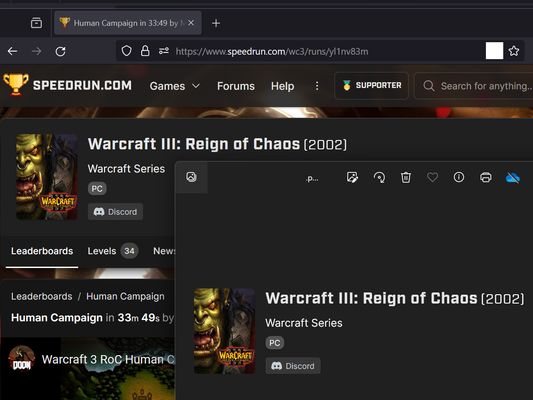
webpage screenshot support: screenshot full page pick one element to screenshot
25 korisnika25 korisnika
Metapodaci proširenja
Snimke ekrana



Informacije o ovom proširenju
Extension User Guide
📸 1. How to Capture a Full Page
🎯 2. How to Capture a Specific Element
⚠️ 3. Known Limitations
Browser extensions are restricted by standard security architectures and cannot run on native browser pages or official extension stores.
Examples of restricted pages include:
* Official Stores: Mozilla Add-ons Store (
📸 1. How to Capture a Full Page
- Right-click anywhere on the web page to open the context menu.
- Select "Screenshot Full Page" from the list.
🎯 2. How to Capture a Specific Element
- Click the extension icon in your browser toolbar.
- Move your mouse over the specific web element you want to capture. A red selection box will highlight the targeted area.
- Left-click the element. The extension will automatically capture the highlighted area and download it as a
.pngfile.
⏳ Note: Capturing larger web elements or extensive sections may take a few moments to process and download.
⚠️ 3. Known Limitations
Browser extensions are restricted by standard security architectures and cannot run on native browser pages or official extension stores.
Examples of restricted pages include:
* Official Stores: Mozilla Add-ons Store (
addons.mozilla.org).Ocjena 5 od 2 recenzenta
Dozvole i podaci
Potrebne dozvole:
- Prikazati obavijesti
- Pristup karticama preglednika
- Pristup tvojim podacima za sve web stranice
Prikupljanje podataka:
- Programer kaže da ovo proširenje ne zahtijeva prikupljanje podataka.
Daljnje informacije
- Poveznice dodatka
- Verzija
- 2026.5.30.1
- Veličina
- 12,11 KB
- Zadnje aktualiziranje
- prije 2 mjeseca (30. svi. 2026)
- Povezane kategorije
- Povijest verzija
- Oznake
- Dodaj u zbirku