Youtube Spoiler Blocker Autor: CGodiksen
Blocking video length information from specific Youtube videos to avoid spoilers.
47 korisnika47 korisnika
Metapodaci proširenja
Snimke ekrana
Informacije o ovom proširenju
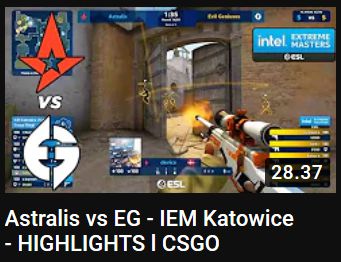
When spoilers are blocked from a specific video, the video length is removed from the bottom right of the thumbnail and from the player. Video length is removed if you block the channel or if the video title matches one of your title filters. Filters can be added and removed using the popup. Channels can also be blocked by right-clicking the channel name and using the context menu.
Ocjena 3,7 od 6 recenzenta
Dozvole i podaci
Potrebne dozvole:
- Pristup karticama preglednika
- Pristup tvojim podacima za web-stranice na domeni youtube.com
Daljnje informacije
- Poveznice dodatka
- Verzija
- 1.1
- Veličina
- 16,11 KB
- Zadnje aktualiziranje
- prije 5 godina (14. tra. 2021)
- Povezane kategorije
- Licenca
- Mozilla javna licenca 2.0
- Povijest verzija
- Dodaj u zbirku