
Soffid Password Manager di Gabriel Buades, Patricia García
Enables Soffid self-service to start new remote applications
50 utenti50 utenti
Metadati estensione
Screenshot
Informazioni sull’estensione
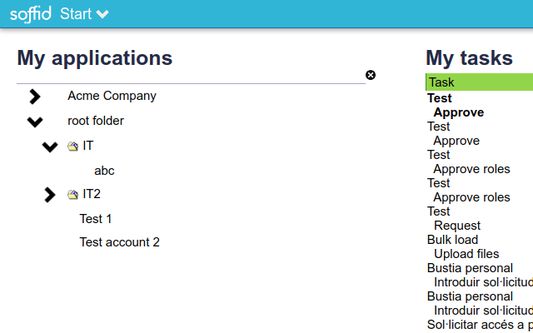
The aim of this addon is to inject user-names and password into selected applications, as part of our open-source identity governance and single sign on product. The sequence is as follows:
1. System administrator allows a users to use any application, and creates a user account for him/her.
2. Soffid sync-server creates the account and assigns a random passwords
3. The user opens the self-service portal and clicks on the selected application icon.
4. She self service portal decrypts the password required to use the selected application and notifies the firefox addon to use them.
5. The firefox addon opens the selected application URL, and gets the script to inject the user name and password from the trusted URL https://www.soffid.com/ssokm/v1/script.
6. The firefox addon executes the downloaded script with the password sent by the self service portal.
Follow this link to install Soffid server side: http://confluence.soffid.org/display/SOF/Soffid+IAM+Installation
1. System administrator allows a users to use any application, and creates a user account for him/her.
2. Soffid sync-server creates the account and assigns a random passwords
3. The user opens the self-service portal and clicks on the selected application icon.
4. She self service portal decrypts the password required to use the selected application and notifies the firefox addon to use them.
5. The firefox addon opens the selected application URL, and gets the script to inject the user name and password from the trusted URL https://www.soffid.com/ssokm/v1/script.
6. The firefox addon executes the downloaded script with the password sent by the self service portal.
Follow this link to install Soffid server side: http://confluence.soffid.org/display/SOF/Soffid+IAM+Installation
Voto 0 da 0 revisori
Permessi e dati
Ulteriori informazioni
- Link componente aggiuntivo
- Versione
- 2.1.13
- Dimensione
- 58,22 kB
- Ultimo aggiornamento
- 24 giorni fa (14 gen 2026)
- Categorie correlate
- Cronologia versioni
- Aggiungi alla raccolta