
Spotify Hotkeys di Jerosa
Add configurable keyboard shortcuts and notifications to the Spotify Web Player
171 utenti171 utenti
Metadati estensione
Screenshot
Informazioni sull’estensione
Add configurable keyboard shortcuts and notifications to the Spotify Web Player
Default Keyboard Shortcuts
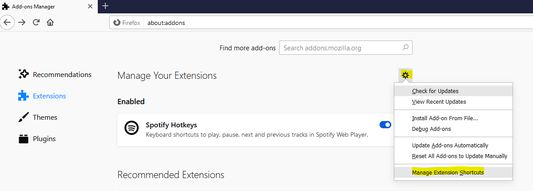
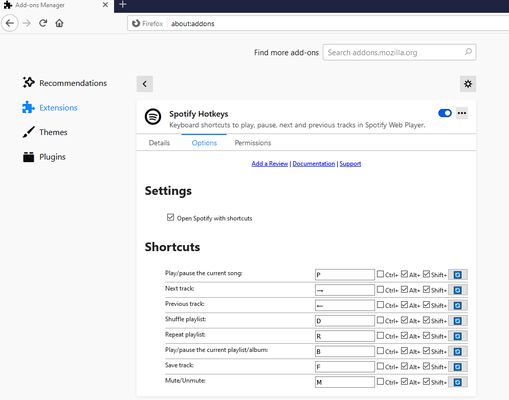
All shortcuts can be customized in Firefox extension settings. Skip duration is configurable (1-60 seconds) in the extension options page.
Default Keyboard Shortcuts
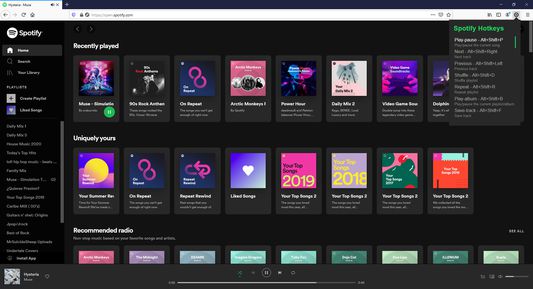
- Play/Pause: Alt+Shift+W
- Next: Alt+Shift+Right Arrow
- Previous: Alt+Shift+Left Arrow
- Shuffle: Alt+Shift+D
- Repeat: Alt+Shift+R
- Play Album: Alt+Shift+G
- Save Track: Alt+Shift+L
- Mute/Unmute: Alt+Shift+M
- Volume Up: Alt+Shift+Up Arrow
- Volume Down: Alt+Shift+Down Arrow
- Skip Forward: Alt+Shift+Period
- Skip Back: Alt+Shift+Comma
All shortcuts can be customized in Firefox extension settings. Skip duration is configurable (1-60 seconds) in the extension options page.
Voto 4,9 da 34 revisori
Permessi e dati
Permessi obbligatori:
- Visualizzare notifiche
- Accedere alle schede
- Accedere ai dati utente di open.spotify.com
- Accedere ai dati utente di play.spotify.com
Raccolta dati:
- Lo sviluppatore dichiara che questa estensione non richiede la raccolta di dati.
Ulteriori informazioni
- Link componente aggiuntivo
- Versione
- 2.2.0
- Dimensione
- 21,6 kB
- Ultimo aggiornamento
- 22 giorni fa (21 mar 2026)
- Categorie correlate
- Licenza
- Licenza MIT
- Cronologia versioni
- Aggiungi alla raccolta