Translate Now di Geoffrey De Belie
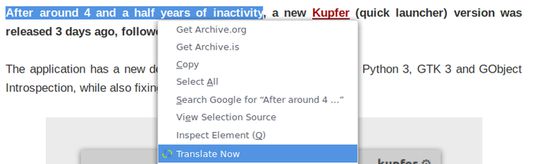
Right click a selection, page or link to translate words in Firefox using Google Translate, DeepL Translator or Bing Translator. In Firefox voor Android you first make a selection and then you use the button.
Disponibile in Firefox per AndroidDisponibile in Firefox per Android
5618 utenti5618 utenti
Metadati estensione
Screenshot
Informazioni sull’estensione
Select text on any page, right click and select Translate Now. This will open a new tab with the translation using Google Translate.
By default Translate Now uses Google Translate, but DeepL Translator and Bing Translator are also supported and can be set from the Preferences.
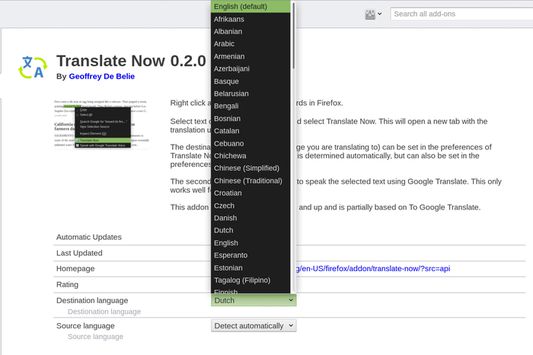
The destination language (the language you are translating to) can be set in the preferences of Translate Now. The source language is determined automatically, but can also be set in the preferences.
Features
- Supports Google Translate, Bing Translator and DeepL Translator.
- Broad support for source and destination languages.
- Make a selection, translate the current page or translate linked page.
- Use the toolbar icon to translate texts and right click the toolbar icon to gain access to the preferences.
- Highly customizable.
The first versions of Translate Now were partially based on To Google Translate.
By default Translate Now uses Google Translate, but DeepL Translator and Bing Translator are also supported and can be set from the Preferences.
The destination language (the language you are translating to) can be set in the preferences of Translate Now. The source language is determined automatically, but can also be set in the preferences.
Features
- Supports Google Translate, Bing Translator and DeepL Translator.
- Broad support for source and destination languages.
- Make a selection, translate the current page or translate linked page.
- Use the toolbar icon to translate texts and right click the toolbar icon to gain access to the preferences.
- Highly customizable.
The first versions of Translate Now were partially based on To Google Translate.
Voto 3,7 da 108 revisori
Permessi e dati
Permessi obbligatori:
- Visualizzare notifiche
- Accedere alle schede
- Accedere ai dati di tutti i siti web
Permessi facoltativi:
- Accedere ai dati di tutti i siti web
Ulteriori informazioni
- Link componente aggiuntivo
- Versione
- 5.0.4
- Dimensione
- 41,4 kB
- Ultimo aggiornamento
- un anno fa (24 ago 2024)
- Categorie correlate
- Cronologia versioni
- Aggiungi alla raccolta
Sostieni il mantenimento e l’aggiornamento di questa estensione con una piccola donazione allo sviluppatore.