
UXI Recorder di Mamello Seboholi
Captive Portal Recorder for HPE Aruba Networking - User Experience Insight.
55 utenti55 utenti
Metadati estensione
Screenshot


Informazioni sull’estensione
HPE Aruba Networking User Experience Insight (UXI) is a digital experience monitoring solution that validates network health, application performance and troubleshoots problems that affect day-to-day user experience on any network.
For networks with captive portals, the UXI sensor needs to know how to interact with the captive portal to get on the network. Using this extension, you can record your interaction with the captive portal. The UXI sensors will use this recording produced by this extension to connect to the network.
To get started:
- Connect to the network of interest and make sure you are not currently authenticated to the captive portal. The extension will indicate "Already Online" if a captive portal is not detected and you have internet access.
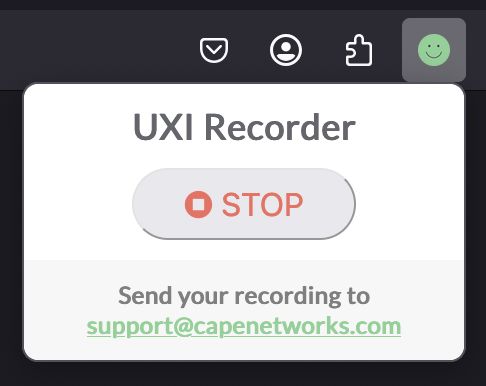
- Launch the UXI Recorder firefox extension. When prompted, press Record. A new tab will appear.
- In the new tab, perform the actions on the captive portal to connect to the network.
- Once you complete the interaction, the recording will automatically be downloaded. If you don't see it, navigate to the original tab and press Stop.
For networks with captive portals, the UXI sensor needs to know how to interact with the captive portal to get on the network. Using this extension, you can record your interaction with the captive portal. The UXI sensors will use this recording produced by this extension to connect to the network.
To get started:
- Connect to the network of interest and make sure you are not currently authenticated to the captive portal. The extension will indicate "Already Online" if a captive portal is not detected and you have internet access.
- Launch the UXI Recorder firefox extension. When prompted, press Record. A new tab will appear.
- In the new tab, perform the actions on the captive portal to connect to the network.
- Once you complete the interaction, the recording will automatically be downloaded. If you don't see it, navigate to the original tab and press Stop.
Voto 0 da 0 revisori
Permessi e dati
Permessi obbligatori:
- Scaricare file, leggere e modificare la cronologia di download del browser
- Accedere alle schede
- Accedere ai dati di tutti i siti web
Ulteriori informazioni
- Link componente aggiuntivo
- Versione
- 0.0.18
- Dimensione
- 262,65 kB
- Ultimo aggiornamento
- un anno fa (25 feb 2025)
- Categorie correlate
- Licenza
- Tutti i diritti riservati
- Cronologia versioni
- Aggiungi alla raccolta