Download table as CSV 作成者: arktiv
Download HTML tables in MS Excel style CSV format Known issues with tables contained within iframes
拡張機能メタデータ
スクリーンショット
この拡張機能について
Download HTML tables in MS Excel style CSV format.
Simple to use!
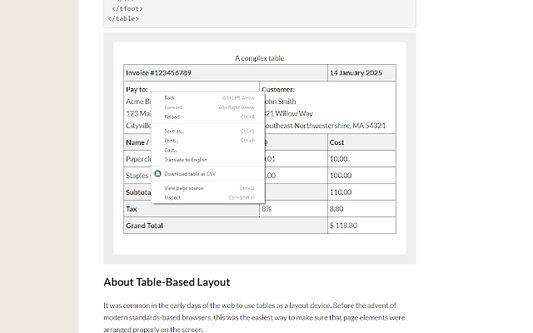
Right click on the table, then select 'Download table as CSV' from the context menu.
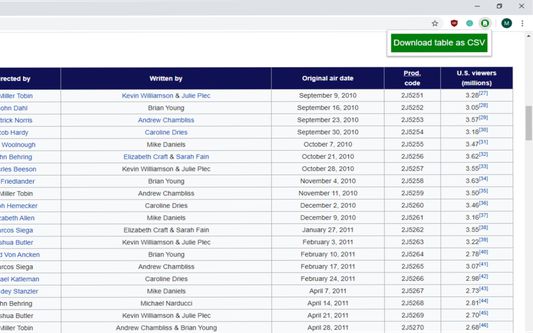
Alternatively you can click the icon and then click on the table to download
The extension downloads the HTML tables in MS Excel style CSV format.
Images will be show in the CSV file as the source URL.
Inputs and text-areas will be indicated in the CSV file with a '(i)'
Note: Sometimes special characters, symbols will not look as you might expect, this is not a bug, rather a limitation of the format.
Attempts to follow RFC4180
Source code: https://github.com/arktiv/table-csv-firefox/
Simple to use!
Right click on the table, then select 'Download table as CSV' from the context menu.
Alternatively you can click the icon and then click on the table to download
The extension downloads the HTML tables in MS Excel style CSV format.
Images will be show in the CSV file as the source URL.
Inputs and text-areas will be indicated in the CSV file with a '(i)'
Note: Sometimes special characters, symbols will not look as you might expect, this is not a bug, rather a limitation of the format.
Attempts to follow RFC4180
Source code: https://github.com/arktiv/table-csv-firefox/
6 人のレビュー担当者が 4.7 と評価しました
詳しい情報
- アドオンリンク
- バージョン
- 1.5
- サイズ
- 13.11 KB
- 最終更新日
- 6年前 (2020年5月31日)
- 関連カテゴリー
- バージョン履歴
- コレクションへ追加