
newtab for poweruser 作成者: aloisleclet
A minimalist new tab, to speed up your web browsing.
ユーザーなしユーザーなし
拡張機能メタデータ
スクリーンショット
この拡張機能について
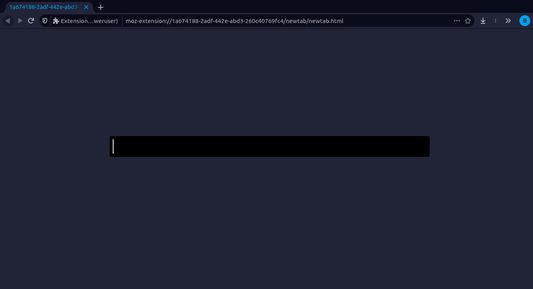
The newtab for poweruser extension is a minimalist extension which expose one only field in order to do speed up your web browsing.
Newtab for power user expose a field which allowed you to:
-type a duckduckgo research
-configure aliases for website (speed up your navigation)
-change the color of the newtab
-vim navigation keybinding in the inupt of the newtab
What is an alias ?
An alias is a short word which is in our case attach to an url.
When you type the alias in the newtab's field, the extension redirect you directly to this url.
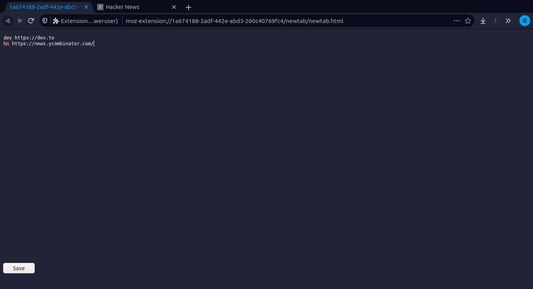
You can setup your own alias in typing ":settings" then press Enter and you are now on the settings view (like on the screenshot 2).
How to use ?
1. Press key <Alt> + <t> when no field are focused to open your newtab
2. Type ':settings' & Enter
3. Set up your alias & colors in the configuration area
```
dev https://dev.to
pic https://unsplash.com/s/photos/%s
```
4. Set up one alias open a group of tab
```
dev https://dev.to
dev https://news.ycombinator.com/
```
5. Set up custom colors
```
primaryColor #34495e
secondaryColor #2c3e50
fontColor #ecf0f1
```
6. Use vim navigation in the main input field
Press <Escape> to switch to navigation mode
Press < h > & < l > to navigate inside the input field
Press < i > to switch to insert mode
7. Enjoy
More informations & help:
https://github.com/aloisleclet/addon_newtab_poweruser
Newtab for power user expose a field which allowed you to:
-type a duckduckgo research
-configure aliases for website (speed up your navigation)
-change the color of the newtab
-vim navigation keybinding in the inupt of the newtab
What is an alias ?
An alias is a short word which is in our case attach to an url.
When you type the alias in the newtab's field, the extension redirect you directly to this url.
You can setup your own alias in typing ":settings" then press Enter and you are now on the settings view (like on the screenshot 2).
How to use ?
1. Press key <Alt> + <t> when no field are focused to open your newtab
2. Type ':settings' & Enter
3. Set up your alias & colors in the configuration area
```
dev https://dev.to
pic https://unsplash.com/s/photos/%s
```
4. Set up one alias open a group of tab
```
dev https://dev.to
dev https://news.ycombinator.com/
```
5. Set up custom colors
```
primaryColor #34495e
secondaryColor #2c3e50
fontColor #ecf0f1
```
6. Use vim navigation in the main input field
Press <Escape> to switch to navigation mode
Press < h > & < l > to navigate inside the input field
Press < i > to switch to insert mode
7. Enjoy
More informations & help:
https://github.com/aloisleclet/addon_newtab_poweruser
0 人のレビュー担当者が 0 と評価しました
権限とデータ
詳しい情報
- バージョン
- 1.2.1
- サイズ
- 24.12 KB
- 最終更新日
- 4年前 (2021年11月27日)
- ライセンス
- 2条項簡易 BSD ライセンス
- バージョン履歴
- コレクションへ追加