
Chronos 作成者: Tryton、 Cédric Krier
Manage timesheets in Tryton
44 人のユーザー44 人のユーザー
拡張機能メタデータ
スクリーンショット
この拡張機能について
Manage timesheets in Tryton
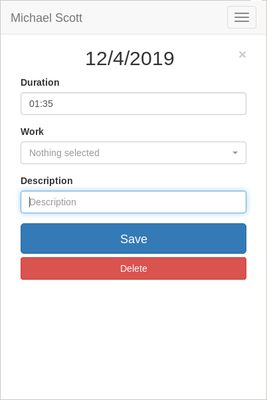
Encode and manage time-sheet lines from browser to your Tryton server.
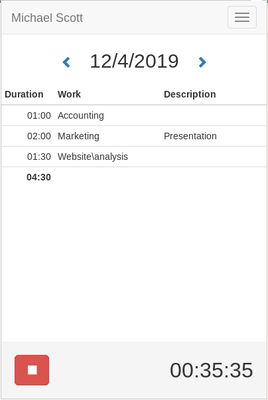
With Chronos, you can enter quickly the time spend on tasks directly from the browser without having to login to the Tryton server.
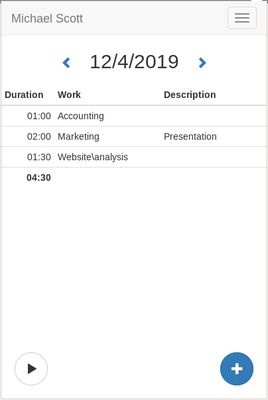
You will have a summary of the tasks per day including the total of time and could navigate through dates.
Chronos works also offline, you can encode new line, update or remove existing. They will be synchronized automatically later when the browser is back online.
To setup, you must first register Chronos to your Tryton server with the address, the database and your username. The server must have the timesheet module activated. Once registered, the application must be validated on the user preferences dialog from Tryton.Encode and manage your Tryton time-sheets quickly from within your browser.
Encode and manage time-sheet lines from browser to your Tryton server.
With Chronos, you can enter quickly the time spend on tasks directly from the browser without having to login to the Tryton server.
You will have a summary of the tasks per day including the total of time and could navigate through dates.
Chronos works also offline, you can encode new line, update or remove existing. They will be synchronized automatically later when the browser is back online.
To setup, you must first register Chronos to your Tryton server with the address, the database and your username. The server must have the timesheet module activated. Once registered, the application must be validated on the user preferences dialog from Tryton.Encode and manage your Tryton time-sheets quickly from within your browser.
2 人のレビュー担当者が 5 と評価しました
権限とデータ
詳しい情報
- アドオンリンク
- バージョン
- 0.8.2
- サイズ
- 311.55 KB
- 最終更新日
- 5年前 (2021年2月7日)
- 関連カテゴリー
- ライセンス
- 2条項簡易 BSD ライセンス
- バージョン履歴
- コレクションへ追加