Enforce Browser Fonts ავტორი Jayesh Bhoot
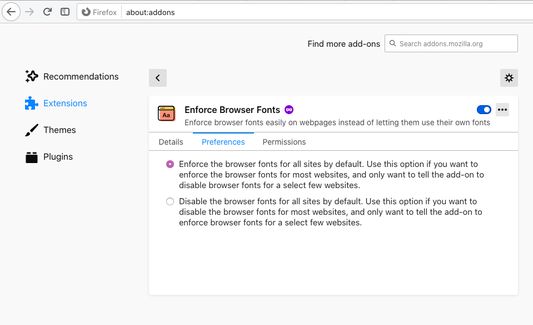
Enforce browser fonts easily instead of letting websites use their own fonts. Easily toggle between browser fonts and website fonts by clicking on addon toolbar icon or its keyboard shortcut (Alt-Comma).
294 მომხმარებელი294 მომხმარებელი
გაფართოების მონაცემები
ეკრანის სურათები
გაფართოების შესახებ
This Firefox WebExtension lets you toggle between browser and website fonts by:
1. clicking on the toolbar icon
2. pressing keyboard combo: Alt-Comma
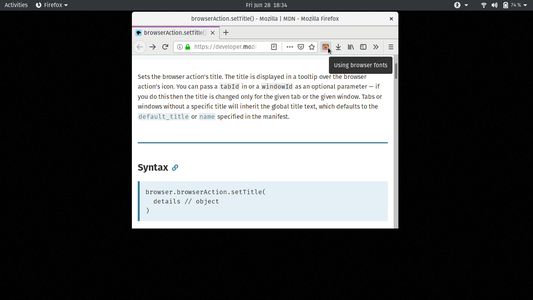
The toolbar icon also acts as a visual cue: If it is coloured, then browser fonts are enforced. Otherwise, website fonts are being used. The icon tooltip provides the textual cue for the same.
Find the details on the homepage.
1. clicking on the toolbar icon
2. pressing keyboard combo: Alt-Comma
The toolbar icon also acts as a visual cue: If it is coloured, then browser fonts are enforced. Otherwise, website fonts are being used. The icon tooltip provides the textual cue for the same.
Find the details on the homepage.
4,5 შეფასება 17 მიმომხილველისგან
ნებართვები და მონაცემები
დამატებითი მონაცემები
- დამატების ბმულები
- ვერსია
- 1.2
- ზომა
- 359,61 კბ
- ბოლო განახლება
- 5 წლის წინ (27 მაი 2021)
- მსგავსი კატეგორიები
- ლიცენზია
- Mozilla Public License 2.0
- ვერსიის ისტორია
- კრებულში დამატება