Toggle Resist Fingerprinting ავტორი Aaron Papp
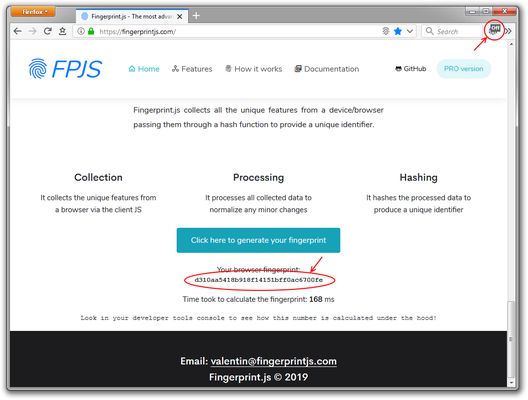
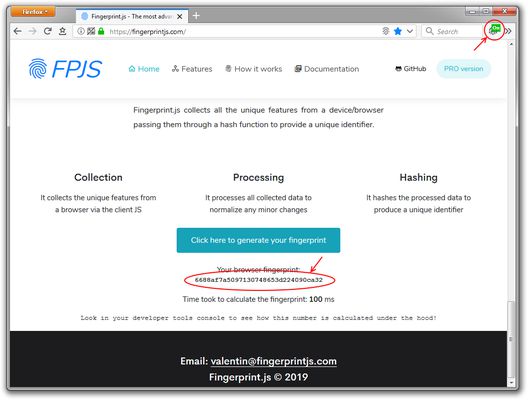
Adds a button to the tab bar to toggle the "resist fingerprinting" setting.
355 მომხმარებელი355 მომხმარებელი
გაფართოების მონაცემები
ეკრანის სურათები
გაფართოების შესახებ
Adds a button to the tab bar* to toggle the "resist fingerprinting" setting; to help prevent websites from fingerprinting your browser for tracking purposes.
Enabling the "resist fingerprinting" setting may break some websites. Information about the "resist fingerprinting" setting can be found at <a href="https://wiki.mozilla.org/Security/Fingerprinting">https://wiki.mozilla.org/Security/Fingerprinting</a>.
Icon made by <a href="https://www.freepik.com/">Freepik</a> from Flaticon is licensed by <a href="http://creativecommons.org/licenses/by/3.0/">CC 3.0 BY</a>
Enabling the "resist fingerprinting" setting may break some websites. Information about the "resist fingerprinting" setting can be found at <a href="https://wiki.mozilla.org/Security/Fingerprinting">https://wiki.mozilla.org/Security/Fingerprinting</a>.
Icon made by <a href="https://www.freepik.com/">Freepik</a> from Flaticon is licensed by <a href="http://creativecommons.org/licenses/by/3.0/">CC 3.0 BY</a>
- Currently by default the icon is placed in the tab bar, if you are using an extension that removes or modifies the tab bar you will need to temporarily revert to the default tab bar to see and move the icon.
4,4 შეფასება 14 მიმომხილველისგან
ნებართვები და მონაცემები
დამატებითი მონაცემები
- დამატების ბმულები
- ვერსია
- 1.2
- ზომა
- 19,76 კბ
- ბოლო განახლება
- 6 წლის წინ (5 მაი 2020)
- მსგავსი კატეგორიები
- ლიცენზია
- MIT-ლიცენზია
- ვერსიის ისტორია
- კრებულში დამატება