YouTube Geoblock Checker ავტორი Nicu Calcea
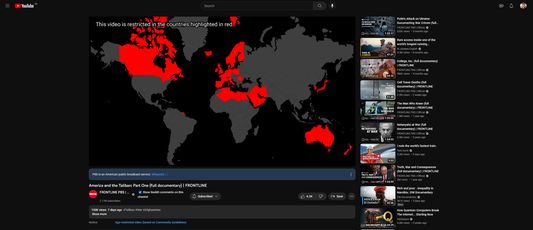
Shows where a YouTube video is restricted so you can use a VPN to avoid the restriction.
18 მომხმარებელი18 მომხმარებელი
გაფართოების მონაცემები
ეკრანის სურათები
გაფართოების შესახებ
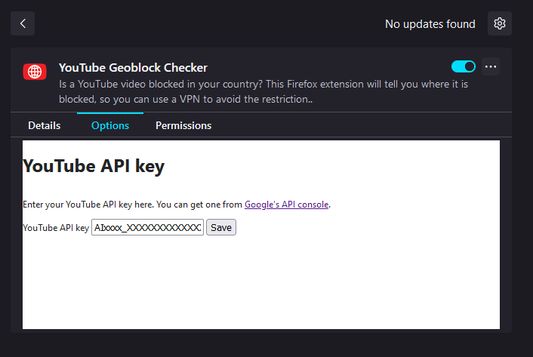
Once installed, open the Extensions setting (`about:addons`) in your browser and find the add-on. Click on the three dots (`⋮`) and the select `Options`.
At this stage, you'll need a YouTube Data API key. Go to Google's developer portal for instructions on how to get one.
Once you've got a key, paste it into the add-on settings and click save.
At this stage, you'll need a YouTube Data API key. Go to Google's developer portal for instructions on how to get one.
Once you've got a key, paste it into the add-on settings and click save.
5 შეფასება 1 მიმომხილველისგან
ნებართვები და მონაცემები
დამატებითი მონაცემები
- დამატების ბმულები
- ვერსია
- 1.2
- ზომა
- 2,56 მბ
- ბოლო განახლება
- 2 თვის წინ (5 ნოე 2025)
- მსგავსი კატეგორიები
- ლიცენზია
- Mozilla Public License 2.0
- ვერსიის ისტორია
- კრებულში დამატება