
Zoom for Firefox sɣur Stefan vd
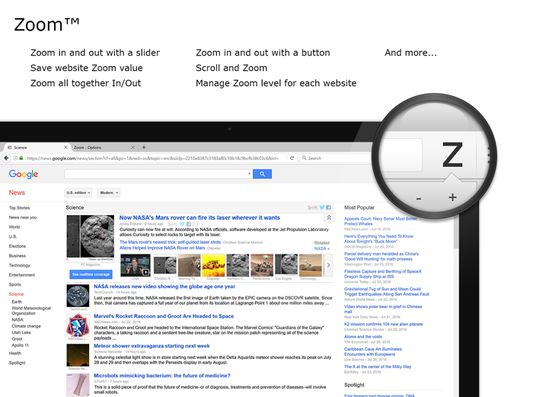
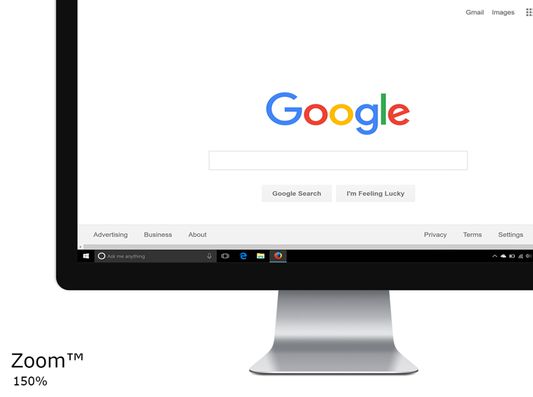
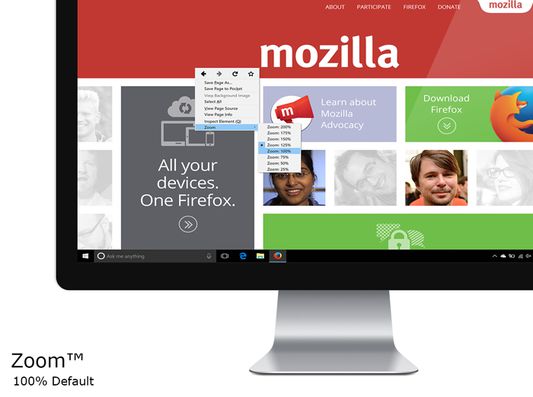
Zoom in or out on web content using the zoom button and mouse scroll wheel for more comfortable reading. That to each percent value. It helps you to zoom easily in and out a web page. Thanks to the slider and the zoom buttons.
7 207 yiseqdacen7 207 yiseqdacen
Asiɣzef aɣefisefka
Tuṭṭfiwin n wegdil
Ɣef usiɣzef agi
Are you tired of struggling to zoom in and out of web pages? Look no further! The Zoom browser extension is the ultimate solution, featuring an intuitive slider and zoom buttons for effortless navigation. Ranked as the number one and best magnifying browser extension, it allows you to customize the zoom value of any webpage, enhancing readability and comfort.
Zoom is a lightweight and useful add-in designed to get a perfect zoom experience. Whether you are dealing with bad vision issues, myopia, lazy eye, or amblyopia, this extension can enhance your vision on any website. Simply increase the zoom slider to select your preferred scale. Additionally, you have the option to switch between the zoom engine, allowing you to zoom the entire page or only text zoom.
Browser extension features:
◆ Slider Zoom:
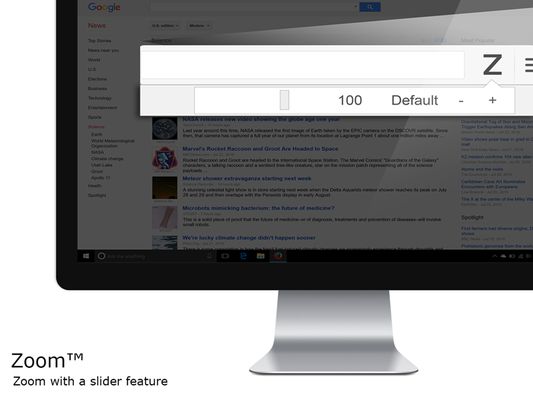
The slider offers a perfect zoom experience, allowing you to adjust the zoom factor from 1 up to 400.
◆ Scroll and Zoom:
Click the Z button and scroll up or down with your mouse to witness live changes in the webpage's zoom.
◆ Zoom All Together In/Out:
Enable this option to simultaneously zoom in/out on all open web pages.
◆ Save Website Zoom Value:
Automatically save the current zoom value of a website, ensuring it is restored when you return. Easily reset to default zoom with the "Reset" button.
◆ Zoom Engine Options:
Choose between the default browser zoom engine, the CSS website style zoom, or the font-size engine for text adjustment. The font-size engine will specifically increase or decrease the text on that website while preserving the page's layout and formatting.
◆ Manage Zoom for Each Website:
Edit or remove zoom values for specific websites in the options page. That according to the domain or web page level. By utilizing the web page level and the built-in zoom engine, it enables the browser's built-in zoom per tab.
◆ Display Options:
- Show Zoom value percent number in the Z button as a badge.
- Display right-click context menu with necessary zoom percentages.
- Display right-click context menu with your chosen zoom percentages.
- Hold mouse click and scroll to zoom in or out.
- Include visual cues, such as a circle or square magnifying glass around the cursor. Specify the magnifier glass size, and zoom scale to determine the degree of magnification.
◆ Set Default Zoom:
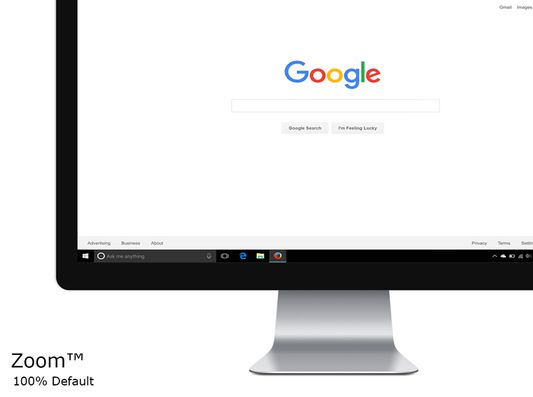
Choose default zoom ratio and zoom step for a personalized experience.
◆ Video and Web Enhancement:
Improve your video entertainment by enlarging web pages and increasing video player sizes on platforms like YouTube™ and HTML5 video. You can achieve this with the widely-used Turn Off the Lights browser extension, which dims the surrounding area around the video player, providing a more immersive viewing environment.
◆ Custom Zoom Keyboard Combinations:
- Shortcut to display the magnifying glass.
- Shortcut to zoom in.
- Shortcut to zoom out.
- Shortcut to reset zoom value.
◆ Zoom Popup Design Options:
- Choose between a minimalist popup design.
- Opt for a larger popup window for enhanced accessibility.
- Explore the new default modern panel with direct control of your magnifying glass.
◆ Support for Dark Mode
Project Information:
https://www.stefanvd.net/project/zoom/browser-extension/
Required Permissions:
◆ "contextMenus": Add Zoom percentage levels to the web browser context menu.
◆ "tabs": Manage zoom on open tabs, show welcome/guide page, and access Options page.
◆ "storage": Save settings locally and sync with your web browser account.
◆ "<all_urls>": Control the button on all websites, including http, https, ftp, and file.
Note:
Windows: CTRL and + or CTRL and -
Linux: CTRL and + or CTRL and -
Mac: ⌘ and + or CTRL and -
Performing the same action is possible with this browser extension. However, this extension enhances user experience by enabling you to adjust the zoom to a custom percentage with greater ease.
Zoom is a lightweight and useful add-in designed to get a perfect zoom experience. Whether you are dealing with bad vision issues, myopia, lazy eye, or amblyopia, this extension can enhance your vision on any website. Simply increase the zoom slider to select your preferred scale. Additionally, you have the option to switch between the zoom engine, allowing you to zoom the entire page or only text zoom.
Browser extension features:
◆ Slider Zoom:
The slider offers a perfect zoom experience, allowing you to adjust the zoom factor from 1 up to 400.
◆ Scroll and Zoom:
Click the Z button and scroll up or down with your mouse to witness live changes in the webpage's zoom.
◆ Zoom All Together In/Out:
Enable this option to simultaneously zoom in/out on all open web pages.
◆ Save Website Zoom Value:
Automatically save the current zoom value of a website, ensuring it is restored when you return. Easily reset to default zoom with the "Reset" button.
◆ Zoom Engine Options:
Choose between the default browser zoom engine, the CSS website style zoom, or the font-size engine for text adjustment. The font-size engine will specifically increase or decrease the text on that website while preserving the page's layout and formatting.
◆ Manage Zoom for Each Website:
Edit or remove zoom values for specific websites in the options page. That according to the domain or web page level. By utilizing the web page level and the built-in zoom engine, it enables the browser's built-in zoom per tab.
◆ Display Options:
- Show Zoom value percent number in the Z button as a badge.
- Display right-click context menu with necessary zoom percentages.
- Display right-click context menu with your chosen zoom percentages.
- Hold mouse click and scroll to zoom in or out.
- Include visual cues, such as a circle or square magnifying glass around the cursor. Specify the magnifier glass size, and zoom scale to determine the degree of magnification.
◆ Set Default Zoom:
Choose default zoom ratio and zoom step for a personalized experience.
◆ Video and Web Enhancement:
Improve your video entertainment by enlarging web pages and increasing video player sizes on platforms like YouTube™ and HTML5 video. You can achieve this with the widely-used Turn Off the Lights browser extension, which dims the surrounding area around the video player, providing a more immersive viewing environment.
◆ Custom Zoom Keyboard Combinations:
- Shortcut to display the magnifying glass.
- Shortcut to zoom in.
- Shortcut to zoom out.
- Shortcut to reset zoom value.
◆ Zoom Popup Design Options:
- Choose between a minimalist popup design.
- Opt for a larger popup window for enhanced accessibility.
- Explore the new default modern panel with direct control of your magnifying glass.
◆ Support for Dark Mode
Project Information:
https://www.stefanvd.net/project/zoom/browser-extension/
Required Permissions:
◆ "contextMenus": Add Zoom percentage levels to the web browser context menu.
◆ "tabs": Manage zoom on open tabs, show welcome/guide page, and access Options page.
◆ "storage": Save settings locally and sync with your web browser account.
◆ "<all_urls>": Control the button on all websites, including http, https, ftp, and file.
Note:
Windows: CTRL and + or CTRL and -
Linux: CTRL and + or CTRL and -
Mac: ⌘ and + or CTRL and -
Performing the same action is possible with this browser extension. However, this extension enhances user experience by enabling you to adjust the zoom to a custom percentage with greater ease.
Rated 4,4 by 105 reviewers
Tisirag akked yisefka
Yesra tisirag:
- Kcem γer icarren n iminig
- Kcem ɣer urmud n yiminig mi ara tettinigeḍ
- Kcem ɣer isefka-inek deg ismal web meṛṛa
Tisirag tifrayanin:
- Kcem ɣer isefka-inek deg ismal web meṛṛa
Alqaḍ n yisefka:
- Aneflay yenna-d asiɣzef-a ur yeḥwaǧ ara alqaḍ n yisefka.
Ugar n telɣut
- TigIseɣwan n uzegrir
- Lqem
- 2.8.28
- Teɣzi
- 408,83 KB
- Aleqqem aneggaru
- 22 ditë më parë (16 Gus 2026)
- Taggayin i ilan assaɣ
- Tasertit n tbaḍnit
- Ɣeṛ tasertit n tbaḍnit i uzegrir-agi
- Amazray n Lqem
- Rnu ar tegrumma
Aneflay n usiɣzef-agi isutur-ak-d tallelt akken ad iseddu taneflit ines ticki tmuddeḍ-as cwiṭ n tewsa.
https://www.stefanvd.net/support/
Visit our blog for the latest news and more information:
https://www.stefanvd.net
=========================================================== Zoom is also available as a Chrome extension:
https://chromewebstore.google.com/detail/zoom-for-google-chrome/lajondecmobodlejlcjllhojikagldgd