Izegrar i yiminig Firefox
Isiɣzaf
Isental
Ugar…
I Firefox
Imawalen & ikemmusen n tutlayin
Ismal nniḍen n tunigin
Izegrar i Android
Qqen
Nadi
Nadi
AO3 Editor
sɣur
ireneae
Allows hiding authors and tags so they will not appear in AO3 search.
Armitan
Armitan
5 (1 review)
5 (1 review)
4 yiseqdacen
4 yiseqdacen
Sader Firefox syen awi isiɣzaf
Sader afaylu
Asiɣzef aɣefisefka
Tuṭṭfiwin n wegdil
Ɣef usiɣzef agi
Allows hiding authors and tags so they will not appear in AO3 search.
Usage
Blocking tags
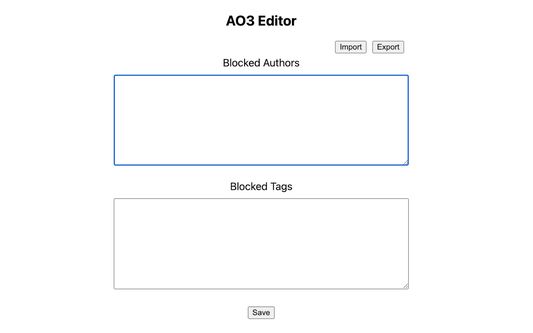
In the AO3 search page, right-click on an author/tag/work and click "Block author"/"Block tag"/"Block work".
Refresh the page; it should no longer be visible.
Unblocking tags
Go to extension options (about:addons -> "Preferences")
Delete any lines you no longer want to block.
Click "Save".
Rated 5 by 1 reviewer
Qqen akken ad ternud tazmilt i usiɣzef-agi
Ulac tazmilt akka tura
Amḍan n yitran yettwasekles
5
1
4
0
3
0
2
0
1
0
Tisirag akked yisefka
Yesra tisirag:
Kcem ɣer isefka-ik i archiveofourown.org
Ugar n telɣut
TigIseɣwan n uzegrir
Asmel n tallelt
Lqem
1.1
Teɣzi
21,47 KB
Aleqqem aneggaru
prije 3 godine (21. lis. 2022)
Taggayin i ilan assaɣ
Arwes
Turagt
Turagt IT
Amazray n Lqem
Wali akk ileqman
Rnu ar tegrumma
Fren tagrumma…
Rnu tagrumma tamaynut
Mmel azegrir-a