
Cyberfeeder sɣur Rhahi
UI/UX improvements for jinteki.net.
339 yiseqdacen339 yiseqdacen
Asiɣzef aɣefisefka
Tuṭṭfiwin n wegdil
Ɣef usiɣzef agi
Select, edit, and apply styles and quality-of-life scripts into Jinteki.net.
Features
- Comes with built-in CSS styles created by the developer.
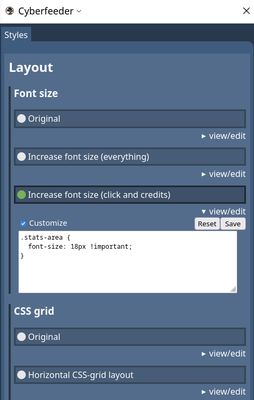
- See the styles and modify them directly in the sidebar.
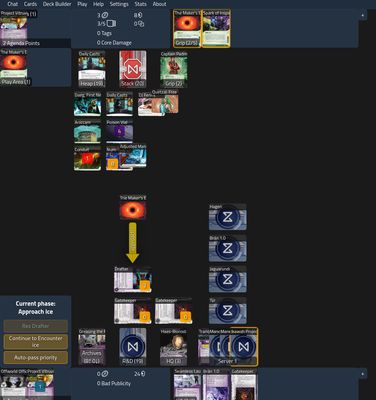
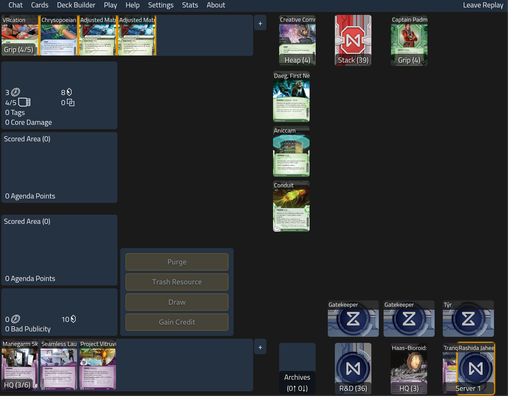
- Improve jinteki.net experience with various quality-of-life and informative scripts.
- Styles and scripts can be toggled live while playing the game.
- For full feature lists, open the sidebar and browse the Styles/Scripts tab.
- For more information about each style/scripts, expand it with "view/edit" button to read its description.
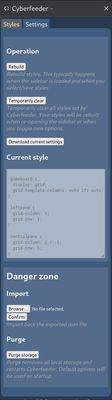
- Backup and restore settings
How to activate
- Open the sidebar by clicking on the addon icon. You can find this in Firefox's Extensions (🧩) toolbar menu.
- In jinteki.net, the addon is always active, and the icon is also visible in the URL bar.
- The CSS is built when opening the sidebar and changing selected styles.
- In other jnet based Netrunner instances, Alt+Click Cyberfeeder's icon to inject Cyberfeeder into currently open tab. (Do not use this more than once per session)
Troubleshooting
- Script features can break if they lose track of its target. If that happens, disable and enable the broken feature. Switching out of game view, changing perspectives in replays can also force a re-attach (some notes can be lost)
- If you found a bug and know how to reproduce them, report them in GLC Discord's #tools-development, or in issue tracker in the Github support site.
Mandatory license
The Jinteki logo is made by Null Signal Games https://nullsignal.games/about/nsg-visual-assets/ (CC BY-ND 4.0). This extension was made independently from NSG and is not endorsed by them.
Features
- Comes with built-in CSS styles created by the developer.
- See the styles and modify them directly in the sidebar.
- Improve jinteki.net experience with various quality-of-life and informative scripts.
- Styles and scripts can be toggled live while playing the game.
- For full feature lists, open the sidebar and browse the Styles/Scripts tab.
- For more information about each style/scripts, expand it with "view/edit" button to read its description.
- Backup and restore settings
How to activate
- Open the sidebar by clicking on the addon icon. You can find this in Firefox's Extensions (🧩) toolbar menu.
- In jinteki.net, the addon is always active, and the icon is also visible in the URL bar.
- The CSS is built when opening the sidebar and changing selected styles.
- In other jnet based Netrunner instances, Alt+Click Cyberfeeder's icon to inject Cyberfeeder into currently open tab. (Do not use this more than once per session)
Troubleshooting
- Script features can break if they lose track of its target. If that happens, disable and enable the broken feature. Switching out of game view, changing perspectives in replays can also force a re-attach (some notes can be lost)
- If you found a bug and know how to reproduce them, report them in GLC Discord's #tools-development, or in issue tracker in the Github support site.
Mandatory license
The Jinteki logo is made by Null Signal Games https://nullsignal.games/about/nsg-visual-assets/ (CC BY-ND 4.0). This extension was made independently from NSG and is not endorsed by them.
Rated 5 by 6 reviewers
Tisirag akked yisefka
Yesra tisirag:
- Sader-d ifuyla, ɣeṛ daɣen beddel amazray n usader deg iminig
- Kcem ɣer yisefka-ik n i yismal di jinteki.net n taɣult
Tisirag tifrayanin:
- Kcem ɣer isefka-inek deg ismal web meṛṛa
Ugar n telɣut
- TigIseɣwan n uzegrir
- Lqem
- 5.2.0
- Teɣzi
- 292,06 KB
- Aleqqem aneggaru
- 4 måneder siden (29. okt. 2025)
- Taggayin i ilan assaɣ
- Turagt
- Turagt IT
- Amazray n Lqem
- Rnu ar tegrumma