DNS Report by DNS Rate sɣur DNS Rate
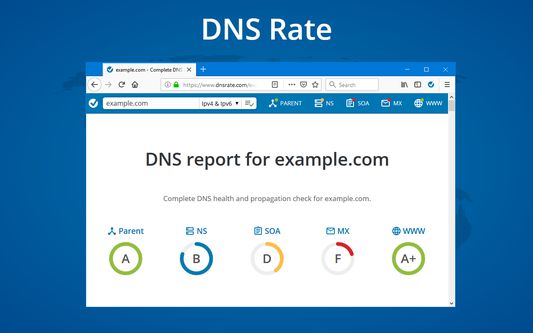
Run DNS report for a domain from a current URL by clicking on extension's icon. Shortcuts to run DNS Report in page, selection and link contexts menus.
13 yiseqdacen13 yiseqdacen
Asiɣzef aɣefisefka
Tuṭṭfiwin n wegdil
Ɣef usiɣzef agi
Check domain in the current URL:
- Click on DNS Rate icon on the right side of the address bar will run IPv4 and IPv6 DNS Report.
- Right-click anywhere on a page and click on DNS Rate
- If you want to run IPv4 or IPv6 only test, right click on extension's icon and click on the desired test
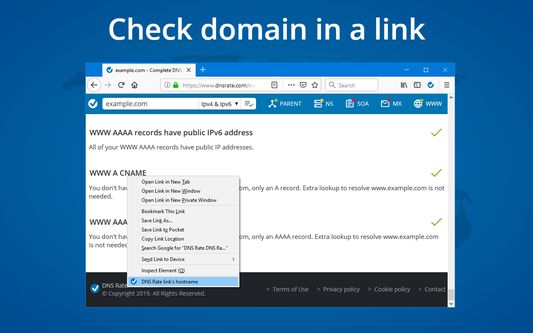
Check domain in a link:
- Right-click on a link and click on DNS Rate link's hostname
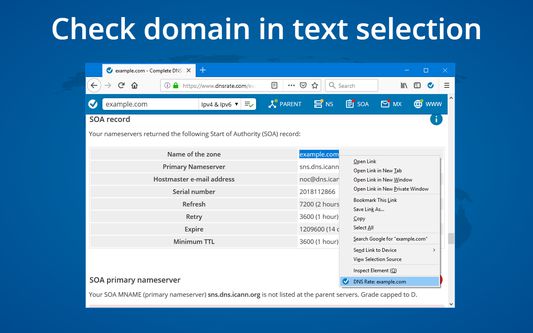
Check domain in text selection:
- Right-click on text selection with a domain name and click on DNS Rate menu item
Required permissions:
activeTab, tabs - check current domain
contextMenus - create context menus
storage - save user preferences
content scripts - search domains in text selection
DNS Rate does not and will never track your browsing history
- Click on DNS Rate icon on the right side of the address bar will run IPv4 and IPv6 DNS Report.
- Right-click anywhere on a page and click on DNS Rate
- If you want to run IPv4 or IPv6 only test, right click on extension's icon and click on the desired test
Check domain in a link:
- Right-click on a link and click on DNS Rate link's hostname
Check domain in text selection:
- Right-click on text selection with a domain name and click on DNS Rate menu item
Required permissions:
activeTab, tabs - check current domain
contextMenus - create context menus
storage - save user preferences
content scripts - search domains in text selection
DNS Rate does not and will never track your browsing history
Rated 5 by 1 reviewer
Tisirag akked yisefka
Ugar n telɣut
- TigIseɣwan n uzegrir
- Lqem
- 0.9.6.3resigned1
- Teɣzi
- 38,12 KB
- Aleqqem aneggaru
- 2 anni fa (26 apr 2024)
- Taggayin i ilan assaɣ
- Turagt
- Akk izerfan ttwaḥerzen
- Amazray n Lqem
- Rnu ar tegrumma