Izegrar i yiminig Firefox
Isiɣzaf
Isental
Ugar…
I Firefox
Imawalen & ikemmusen n tutlayin
Ismal nniḍen n tunigin
Izegrar i Android
Qqen
Nadi
Nadi
Headline Hopps
sɣur
9am
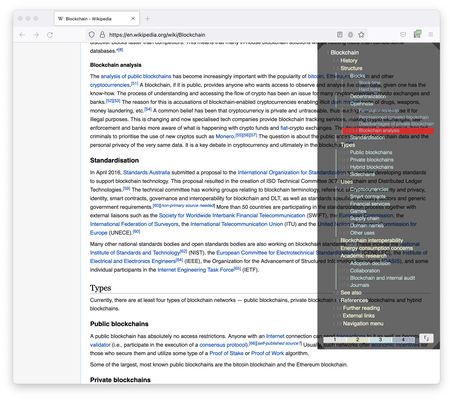
Show all the headlines on a page and navigate between them.
0 (0 reviews)
0 (0 reviews)
1 useqdac
1 useqdac
Sader Firefox syen awi isiɣzaf
Sader afaylu
Asiɣzef aɣefisefka
Tuṭṭfiwin n wegdil
Ɣef usiɣzef agi
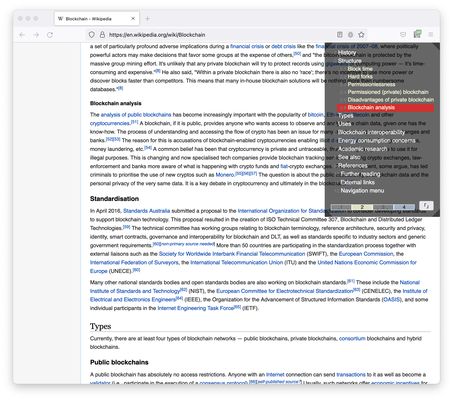
1. List all the headlines in the article.
2. Click items to jump between sections.
3. Highlight the section as you scroll the page.
4. Toggle visibility of level.
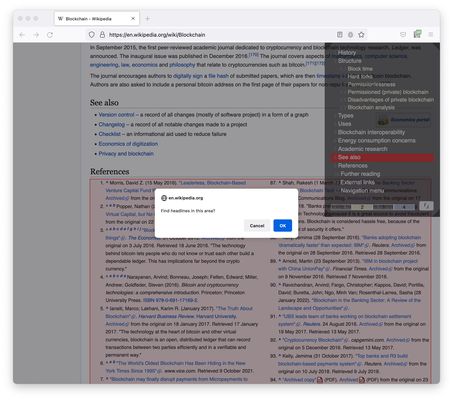
5. Re-select the area to collect headlines.
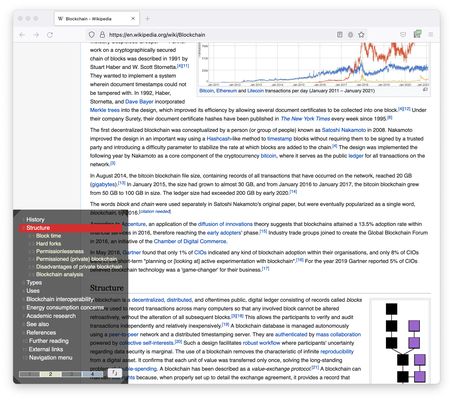
6. Change the position.
Rated 0 by 0 reviewers
Qqen akken ad ternud tazmilt i usiɣzef-agi
Ulac tazmilt akka tura
Amḍan n yitran yettwasekles
5
0
4
0
3
0
2
0
1
0
Tisirag akked yisefka
Yesra tisirag:
Kcem γer icarren n iminig
Kcem ɣer isefka-inek deg ismal web meṛṛa
Ugar n telɣut
Lqem
1.0.0
Teɣzi
27,76 KB
Aleqqem aneggaru
4 anni fa (20 apr 2022)
Taggayin i ilan assaɣ
Ifecka n unadi
Arwes
Turagt
Turagt IT
Amazray n Lqem
Wali akk ileqman
Rnu ar tegrumma
Fren tagrumma…
Rnu tagrumma tamaynut
Mmel azegrir-a