
Tab Master 5000 sɣur jaszhix
Tab Master 5K replaces your New Tab page with a full-featured tabs, history, bookmarks, and sessions manager.
40 yiseqdacen40 yiseqdacen
Asiɣzef aɣefisefka
Tuṭṭfiwin n wegdil
Ɣef usiɣzef agi
-- Tabs
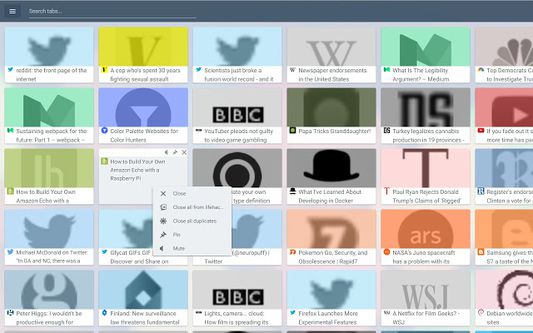
- Close, pin, and mute tabs from your New Tab page.
- Re-order tab tiles by dragging and dropping them.
- Close all tabs from a specific website.
- Close duplicate tabs, and optionally make them pulsate.
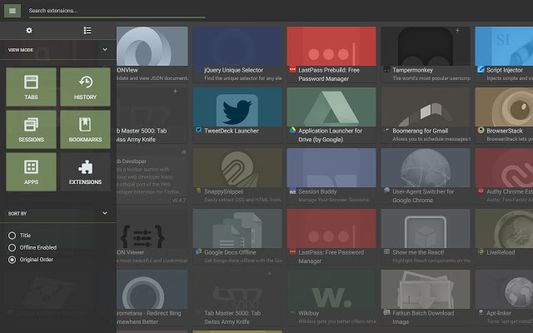
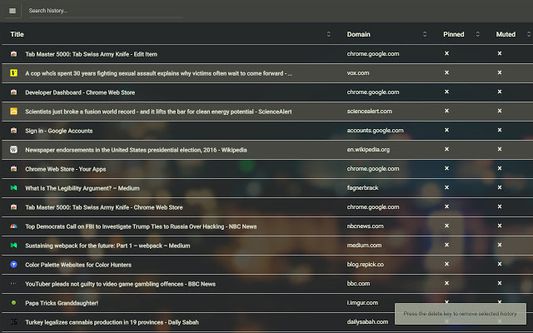
- Manage tabs through icons, the right click menu, or through a table view.
- Search tabs in the top search bar.
- Option to sort tabs by website or alphabetical order, and apply the order to your Chrome window.
- Option to view tabs across all windows.
-- Customization
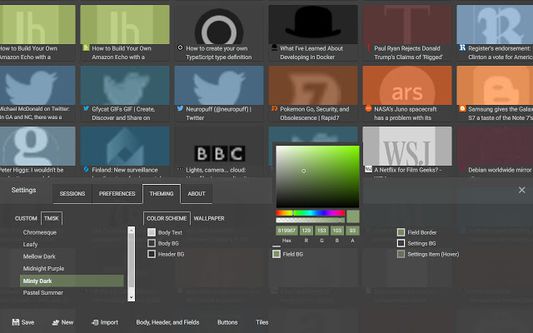
- Full control of the New Tab's appearance with a flexible theme editor.
- Import any wallpaper as a background.
- Adjust the size of the grid tiles.
- View a screenshot of each tab in the grid.
- Enable screenshots to cover the background of a New Tab page when you hover over a tab tile. You can adjust the strength of the blur and opacity of backgrounds in Preferences.
-- Session Management
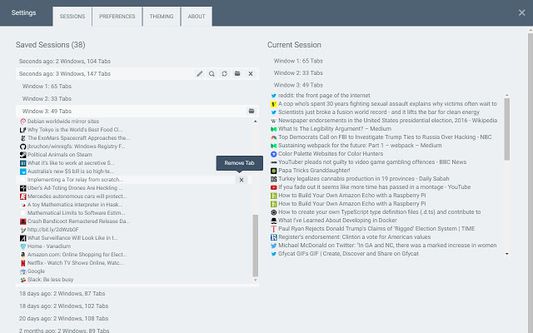
- Session manager built in for saving and restoring your current tab sessions.
- Synchronize your saved sessions, and keep them persistently updated with the current Firefox window.
- Tab sessions can be exported and imported.
- View, sort, and filter your session tabs as tiles in the grid view.
- Close, pin, and mute tabs from your New Tab page.
- Re-order tab tiles by dragging and dropping them.
- Close all tabs from a specific website.
- Close duplicate tabs, and optionally make them pulsate.
- Manage tabs through icons, the right click menu, or through a table view.
- Search tabs in the top search bar.
- Option to sort tabs by website or alphabetical order, and apply the order to your Chrome window.
- Option to view tabs across all windows.
-- Customization
- Full control of the New Tab's appearance with a flexible theme editor.
- Import any wallpaper as a background.
- Adjust the size of the grid tiles.
- View a screenshot of each tab in the grid.
- Enable screenshots to cover the background of a New Tab page when you hover over a tab tile. You can adjust the strength of the blur and opacity of backgrounds in Preferences.
-- Session Management
- Session manager built in for saving and restoring your current tab sessions.
- Synchronize your saved sessions, and keep them persistently updated with the current Firefox window.
- Tab sessions can be exported and imported.
- View, sort, and filter your session tabs as tiles in the grid view.
Rated 4,1 by 17 reviewers
Tisirag akked yisefka
Yesra tisirag:
- Sader-d ifuyla, ɣeṛ daɣen beddel amazray n usader deg iminig
- Ɛas aseqdec n usiɣzef n ugdil daɣen sefrek isental
- Kcem γer icarren n iminig
Tisirag tifrayanin:
- Ɣer sakin beddel ticraḍ n yisebtar
- Kcem ar umazray n tunigin
- Kcem ɣer isefka-inek deg ismal web meṛṛa
Ugar n telɣut
- TigIseɣwan n uzegrir
- Lqem
- 2.9.7
- Teɣzi
- 3,7 MB
- Aleqqem aneggaru
- 6 jaar geleden (27 nov. 2019)
- Taggayin i ilan assaɣ
- Turagt
- Turagt IT
- Tasertit n tbaḍnit
- Ɣeṛ tasertit n tbaḍnit i uzegrir-agi
- Amazray n Lqem
- Rnu ar tegrumma
Clone the repository: https://github.com/jaszhix/tab-master-5000-extension
To run the development environment:
npm install
npm run dev-firefox
To run the production environment:
npm run build-firefox
To build with unminified sources and with project files copied:
npm run build-sources