What-to-click sɣur Marcin Wróblewski
AI-powered how-to documentation creator. Free, open-source, and fully private alternative to Scribehow.
175 yiseqdacen175 yiseqdacen
Asiɣzef aɣefisefka
Tuṭṭfiwin n wegdil
Ɣef usiɣzef agi
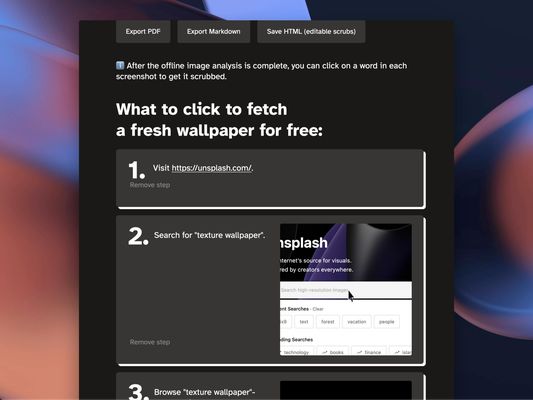
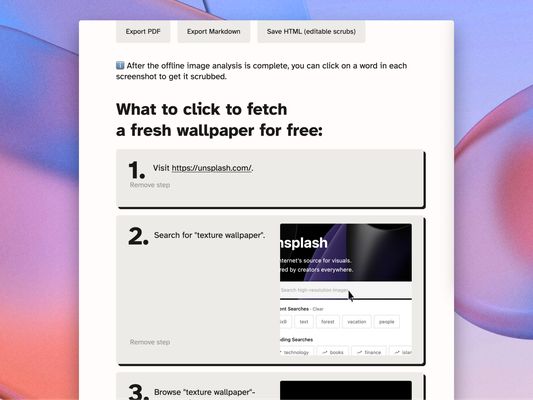
Tired of showing your teammates what to click in yet another web-based service added to your project? Worry not, you can now generate a step-by-step documentation of the workflow as you go! Start recording, go through the workflow, and adjust descriptions if necessary.
What to click to use What-to-click:
- Visit the page you want to document.
- Click the "red circle" browser action to start recording.
- Perform necessary actions on the page. Each click will be recorded.
- Click the "red square" browser action to stop recording.
- A page with editable text will be opened, containing all of the steps you have performed with screenshots attached. Edit step descriptions to your liking, scrub sensitive data, and export or save the file.
Rated 4,8 by 5 reviewers
Tisirag akked yisefka
Yesra tisirag:
- Kcem γer icarren n iminig
- Kcem ɣer urmud n yiminig mi ara tettinigeḍ
- Kcem ɣer isefka-inek deg ismal web meṛṛa
Ugar n telɣut
- TigIseɣwan n uzegrir
- Lqem
- 1.12.6
- Teɣzi
- 3,36 MB
- Aleqqem aneggaru
- vuosi sitten (31. elo 2024)
- Taggayin i ilan assaɣ
- Tasertit n tbaḍnit
- Ɣeṛ tasertit n tbaḍnit i uzegrir-agi
- Amazray n Lqem
- Rnu ar tegrumma