Black Sides ์ ์์: Firefox ์ฌ์ฉ์ 14568023
Turn off ( blackout) empty white side areas on websites for more comfort
์ฌ์ฉ์ 1๋ช
์ฌ์ฉ์ 1๋ช
ํ์ฅ ๋ฉํ ๋ฐ์ดํฐ
์คํฌ๋ฆฐ์ท
์ ๋ณด
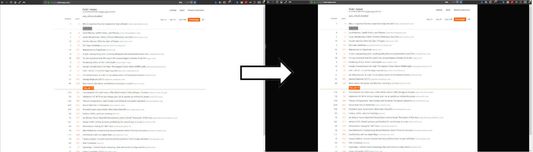
This is meant to be used on websites, where there is too much white space on both sides of the window. I find it more comfortable when these areas are "switched off".
This extension adds left and right borders of custom width on the current website by injecting <div> overlay.
How to use it
Open addon popup by clicking on its icon. Click "+" or scroll up with mouse within popup area or:
hotkeys:
F7: thinner borders
F8: wider borders
F9: on/off
Settings for each website are saved in local storage. Its my first addon.
This extension adds left and right borders of custom width on the current website by injecting <div> overlay.
How to use it
Open addon popup by clicking on its icon. Click "+" or scroll up with mouse within popup area or:
hotkeys:
F7: thinner borders
F8: wider borders
F9: on/off
Settings for each website are saved in local storage. Its my first addon.
0๋ช
์ด 0์ ์ผ๋ก ํ๊ฐํจ
๊ถํ ๋ฐ ๋ฐ์ดํฐ
ํ์ ๊ถํ:
- ๋ธ๋ผ์ฐ์ ํญ์ ์ ๊ทผ
- ๋ชจ๋ ์น์ฌ์ดํธ์์ ์ฌ์ฉ์์ ๋ฐ์ดํฐ์ ์ ๊ทผ
์ถ๊ฐ ์ ๋ณด
- ๋ถ๊ฐ ๊ธฐ๋ฅ ๋งํฌ
- ๋ฒ์
- 1.1resigned1
- ํฌ๊ธฐ
- 19.98 KB
- ๋ง์ง๋ง ์ ๋ฐ์ดํธ
- 2๋ ์ (2024๋ 4์ 26์ผ)
- ๋ผ์ด์ ์ค
- Mozilla Public License 2.0
- ๋ฒ์ ๋ชฉ๋ก
- ๋ชจ์์ง์ ์ถ๊ฐ