
Open Tabs from Clipboard 제작자: nagadev
Quickly open all the URLs in your clipboard!
사용자 192명사용자 192명
확장 메타 데이터
스크린샷
정보
Open Clipboard as Tabs
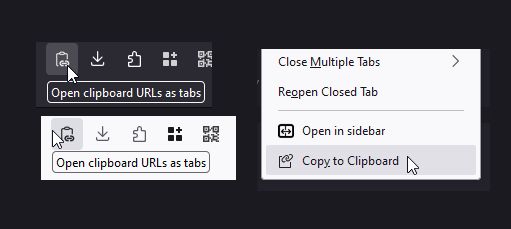
Select and copy one or more URLs from anywhere: Your URL bar, a text file, or even another browser. Click this tool's icon and they will all instantly open as separate tabs.
Copy Tabs to Clipboard
Also contains an extra tool: When right-clicking one or more tabs, you can copy them to the clipboard too!
Default keyboard shortcuts
Known limits
Pasting URLs currently has a few limitations:
Direct references to files might not work (
Select and copy one or more URLs from anywhere: Your URL bar, a text file, or even another browser. Click this tool's icon and they will all instantly open as separate tabs.
Copy Tabs to Clipboard
Also contains an extra tool: When right-clicking one or more tabs, you can copy them to the clipboard too!
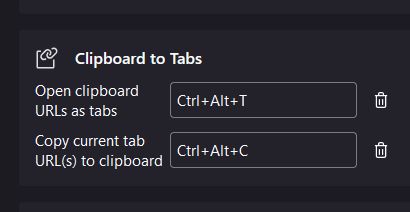
Default keyboard shortcuts
- Ctrl+Alt+T: Open tabs from clipboard
- Ctrl+Alt+C: Copy tabs to clipboard
Known limits
Pasting URLs currently has a few limitations:
about: URLs are mostly unsupported, due to browser restrictions.Direct references to files might not work (
file:// URLs do).I do my best to read comments in reviews! Links for support/contact coming soon.
4명이 5점으로 평가함
권한 및 데이터
추가 정보