Reminder to check Google Calendar at startup ์ ์์: Lyubomir
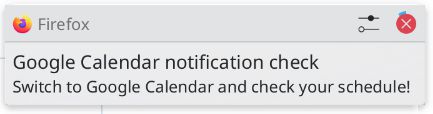
Reminds you to check your schedule on Google Calendar at browser startup and every 5 minutes until acknowledged.
์ฌ์ฉ์ 24๋ช
์ฌ์ฉ์ 24๋ช
ํ์ฅ ๋ฉํ ๋ฐ์ดํฐ
์คํฌ๋ฆฐ์ท
์ ๋ณด
You can disable/re-enable notifications by clicking the extension icon.
On start of the browser you'll receive a notification to check your Google Calendar schedule. If you don't acknowledge/disable that you've checked it by clicking the extension icon, you'll receive further notifications every 5 minutes to do so.
0๋ช
์ด 0์ ์ผ๋ก ํ๊ฐํจ
๊ถํ ๋ฐ ๋ฐ์ดํฐ
์ถ๊ฐ ์ ๋ณด
- ๋ฒ์
- 1.0.1
- ํฌ๊ธฐ
- 9.19 KB
- ๋ง์ง๋ง ์ ๋ฐ์ดํธ
- 4๋ ์ (2022๋ 1์ 20์ผ)
- ๊ด๋ จ ์นดํ ๊ณ ๋ฆฌ
- ๋ผ์ด์ ์ค
- GNU General Public License v3.0 ์ ์ฉ
- ๋ฒ์ ๋ชฉ๋ก
- ๋ชจ์์ง์ ์ถ๊ฐ