
Cookie Pirate door danmun
Keep cookies from leaving your browser.
1 gebruiker1 gebruiker
Metagegevens van extensie
Schermafbeeldingen
Over deze extensie
Cookie Pirate can automatically remove cookies from web requests as they occur while browsing a website.
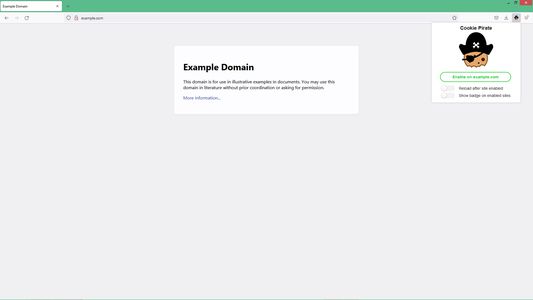
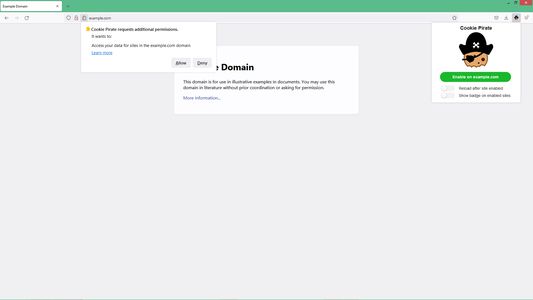
To enable this extension on a website:
1. Visit the website
2. Click the extension's icon
4. Click the green "Enable" button in the extension's popup
Options:
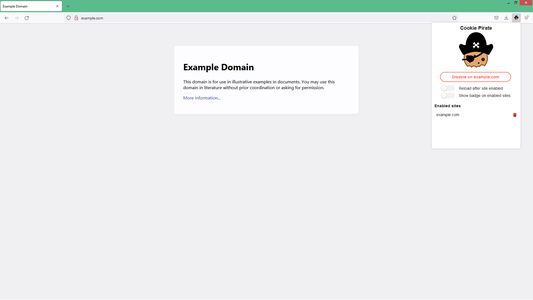
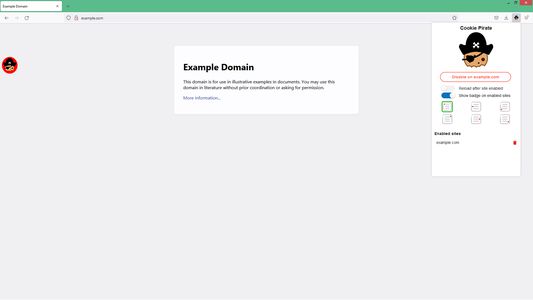
- Reload after site enabled: Reloads the page immediately after a site is enabled to start using the extension. Without this, manually reload the page when you are ready to use the extension on the site.
- Show badge on enabled sites: Shows a circular badge with the Cookie Pirate icon on sites where the extension is enabled. You can also click the badge to turn the extension on/off on the site.
====
What this extension does:
- While browsing an enabled site, it removes cookies for the site's domain before a new page of it is loaded
What it doesn't do:
- Remove cookies from sites which are not enabled
- Remove cookies on enabled sites in background/non-focused tabs
- Remove cookies immediately after the site loads
====
You might find this extension useful for
- browsing sites with more privacy
- web/cookie related research
- web development & debugging
Note:
Using Cookie Pirate on websites where you are logged into an account will likely result in you getting logged out (i.e. if the website uses cookies to keep you logged in).
To enable this extension on a website:
1. Visit the website
2. Click the extension's icon
4. Click the green "Enable" button in the extension's popup
Options:
- Reload after site enabled: Reloads the page immediately after a site is enabled to start using the extension. Without this, manually reload the page when you are ready to use the extension on the site.
- Show badge on enabled sites: Shows a circular badge with the Cookie Pirate icon on sites where the extension is enabled. You can also click the badge to turn the extension on/off on the site.
====
What this extension does:
- While browsing an enabled site, it removes cookies for the site's domain before a new page of it is loaded
What it doesn't do:
- Remove cookies from sites which are not enabled
- Remove cookies on enabled sites in background/non-focused tabs
- Remove cookies immediately after the site loads
====
You might find this extension useful for
- browsing sites with more privacy
- web/cookie related research
- web development & debugging
Note:
Using Cookie Pirate on websites where you are logged into an account will likely result in you getting logged out (i.e. if the website uses cookies to keep you logged in).
Met 0 gewaardeerd door 0 beoordelaars
Toestemmingen en gegevens
Vereiste machtigingen:
- Browsertabbladen benaderen
Optionele machtigingen:
- Uw gegevens voor alle websites benaderen
Meer informatie
- Versie
- 1.1.0
- Grootte
- 1,13 MB
- Laatst bijgewerkt
- 4 jaar geleden (29 mrt. 2022)
- Verwante categorieën
- Licentie
- MIT-licentie
- Versiegeschiedenis
- Toevoegen aan collectie