Convert Case av Convert Case Ltd
Convert text in your browser between UPPER CASE, lower case and more.
744 brukarar744 brukarar
Metadata for utvidingar
Skjermbilde
Om denne utvidinga
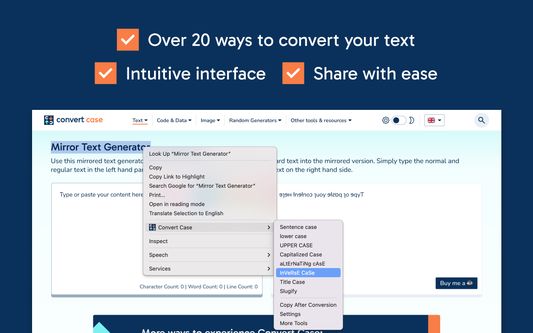
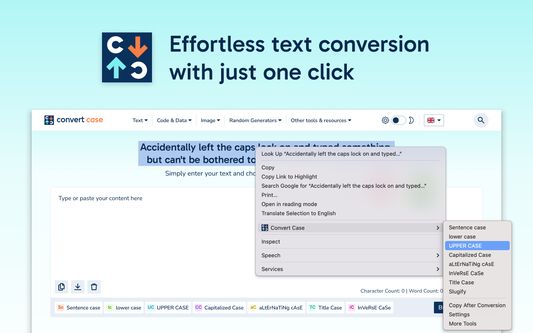
Select text anywhere in your browser, right-click, and convert it in place. Transform between UPPER CASE, lower case, Sentence case, Title Case, and more without leaving the page.
Enable Copy After Conversion in the context menu to automatically copy your converted text to the clipboard.
Features
- In-place text conversion via right-click context menu
- Keyboard shortcuts for quick access (Alt+U, Alt+L, Alt+C, Alt+A) or configure your own
- Automatic copy after conversion option
- Title Case conversion with configurable options
- Slugify for URL-friendly text
- Works with Google Docs (use Shift+right-click or a keyboard shortcut), Reddit, Disqus, WYSIWYG editors, and iframe-based content.
Changelog
- 1.6.0 - Support for Google Docs
- 1.5.2 - Fixed conversions not working on existing tabs after first install
- 1.5.1 - Added keyboard shortcuts link to context menu
- 1.5.0 - Additional keyboard shortcuts and refreshed info/settings UI
- 1.4.1 - Reliability updates
- 1.4.0 - Bug fixes and optimisation
- 1.3.0 - New icon
- 1.2.1 - Disqus and Slate Editor fixes
- 1.2.0 - Support for Disqus and more iframe-based content
- 1.1.0 - Support for Reddit and WYSIWYG editors
- 1.0.10 - Fixed automatic copy after conversion not working
- 1.0.9 - Settings page for title case options and keyboard shortcuts
- 1.0.8 - Reliability updates
- 1.0.7 - Title Case conversion and Slugify option
- 1.0.0 - Initial release
Enable Copy After Conversion in the context menu to automatically copy your converted text to the clipboard.
Features
- In-place text conversion via right-click context menu
- Keyboard shortcuts for quick access (Alt+U, Alt+L, Alt+C, Alt+A) or configure your own
- Automatic copy after conversion option
- Title Case conversion with configurable options
- Slugify for URL-friendly text
- Works with Google Docs (use Shift+right-click or a keyboard shortcut), Reddit, Disqus, WYSIWYG editors, and iframe-based content.
Changelog
- 1.6.0 - Support for Google Docs
- 1.5.2 - Fixed conversions not working on existing tabs after first install
- 1.5.1 - Added keyboard shortcuts link to context menu
- 1.5.0 - Additional keyboard shortcuts and refreshed info/settings UI
- 1.4.1 - Reliability updates
- 1.4.0 - Bug fixes and optimisation
- 1.3.0 - New icon
- 1.2.1 - Disqus and Slate Editor fixes
- 1.2.0 - Support for Disqus and more iframe-based content
- 1.1.0 - Support for Reddit and WYSIWYG editors
- 1.0.10 - Fixed automatic copy after conversion not working
- 1.0.9 - Settings page for title case options and keyboard shortcuts
- 1.0.8 - Reliability updates
- 1.0.7 - Title Case conversion and Slugify option
- 1.0.0 - Initial release
Vurdert 4,6 av 15 meldarar
Løyve og data
Meir informasjon
- Lenker for tillegg
- Versjon
- 1.6.0
- Storleik
- 41,51 KB
- Sist oppdatert
- 7 dagar sidan (18. mars 2026)
- Liknande kategoriar
- Lisens
- Alle rettar med atterhald
- Versjonshistorikk
- Legg til i samling
Utviklaren av denne utvidinga spør om du kan hjelpe til med å støtte den vidare utviklinga med eit lite pengebidrag.