Nettlesartillegg for Firefox
  • Utvidingar
  • Tema
    • for Firefox
    • Ordbøker og språkpakkar
    • Andre nettlesarplassar
    • Utvidingar for Android
Logg inn
Førehandsvising QR Issue Card Printer PRO for Jira Cloud

QR Issue Card Printer PRO for Jira Cloud av MrAddon

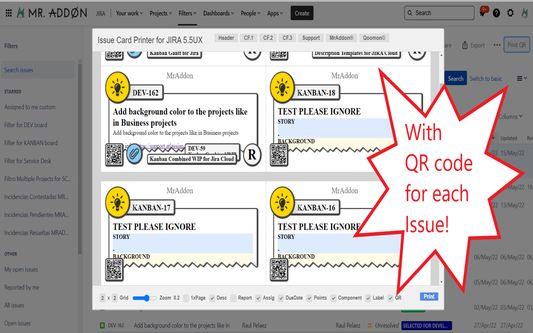
Print your filters and issues with a single click, with a configurable and beautiful layout.Show a large QR code in each card to quickly locate your tickets.Now you can also print from your Kanban or Scrum board and from your backlog view!New feature

EksperimentellEksperimentell
0 (0 omtalar)0 (0 omtalar)
2 brukarar2 brukarar
Last ned Firefox og få utvidinga
Last ned fil

Metadata for utvidingar

Skjermbilde
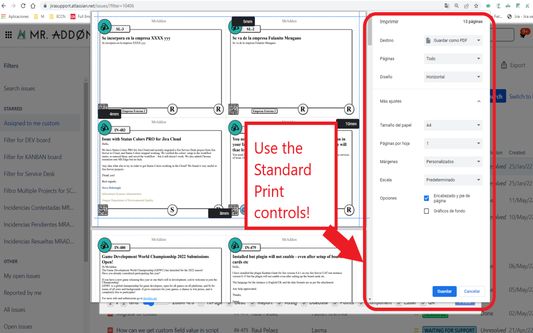
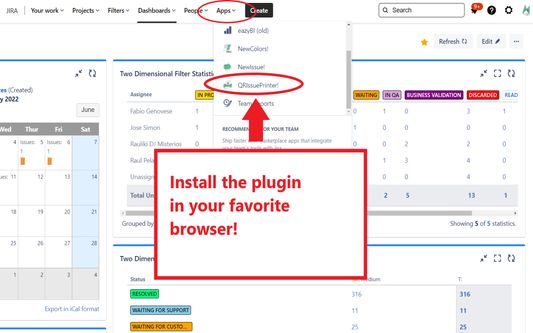
Install the add-on in your favorite browser!
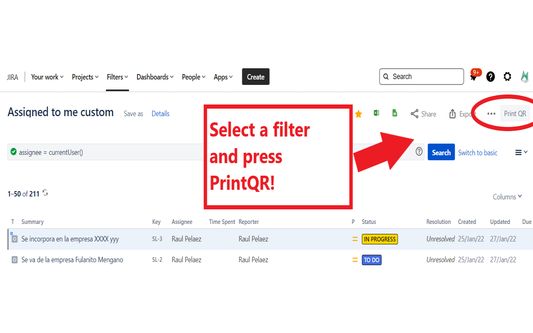
Go to Apps → QRIssuePrinter! and install the add-on in your favorite browserPush PrintQR! button in issues, filters or boards
That’s all! Now take a look in your Issues, Filters and Kanban/SCRUM boards and backlogs and you will see a new button “Print QR”Ready to print in one click!!
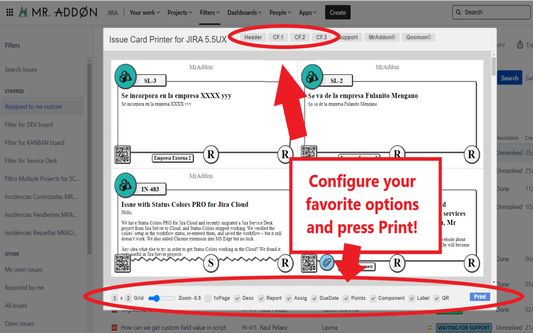
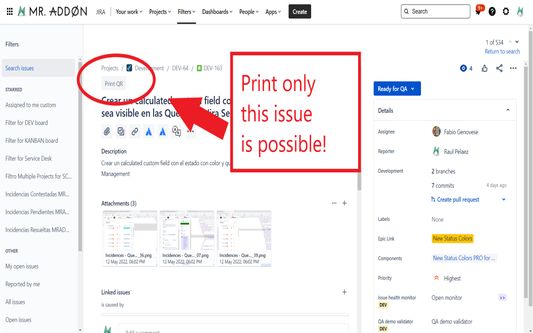
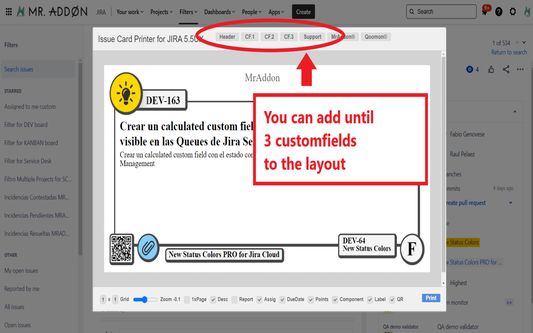
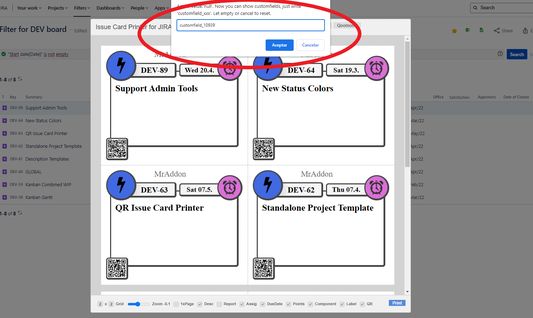
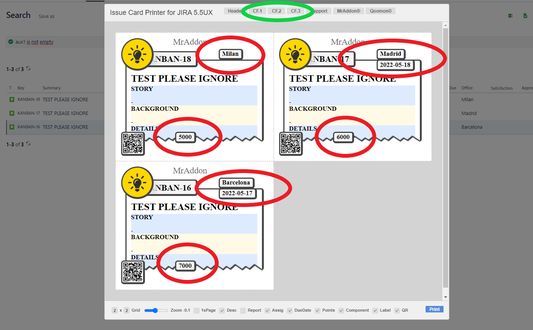
After press the “Print QR” button you will see a beatiful cards ready to print in one click!!Just configure the final part, page margins and Save it as PDF or just print in your usual printer!Now we can configure show/hide the system fields of Jira, we have a Zoom control and grid control, also of course, the QR code.If you need to print only one issue, it’s possible of course! Search the “Print QR” button and that’s all!Click in CF1 or CF2 or CF3 buttons and add the “customfield_xxxx” value where “xxxx” is the ID of the customfieldClick in CF1 or CF2 or CF3 buttons and add the “customfield_xxxx” value where “xxxx” is the ID of the customfieldClick in CF1 or CF2 or CF3 buttons and add the “customfield_xxxx” value where “xxxx” is the ID of the customfield
Om denne utvidinga
Print your filters and issues with a single click, with a configurable and beautiful layout.Show a large QR code in each card to quickly locate your tickets.Now you can also print from your Kanban or Scrum board and from your backlog view!New features coming soon!

Install the add-on in your favorite browser!
Go to Apps → QRIssuePrinter! and install the add-on in your favorite browser

Push PrintQR! button in issues, filters or boards
That’s all! Now take a look in your Issues, Filters and Kanban/SCRUM boards and backlogs and you will see a new button “Print QR”

Ready to print in one click!!
After press the “Print QR” button you will see a beatiful cards ready to print in one click!!

Vide summary: https://www.youtube.com/watch?v=AVp7n4f4qUk
Vurdert 0 av 0 meldarar
Logg inn for å vurdere denne utvidinga
Ingen vurderingar enno

Stjernevurdering lagra

5
0
4
0
3
0
2
0
1
0
Ingen vurderingar enno
Løyve og data

Påkravde løyve:

  • Tilgang til dataa dine for nettsider på domenet atlassian.net
  • Tilgang til dataa dine for nettsider på domenet jira.com

Valfrie løyve:

  • Tilgang til dataa dine for nettsider på domenet atlassian.net
  • Tilgang til dataa dine for nettsider på domenet jira.com
Les meir
Meir informasjon
Lenker for tillegg
  • Heimeside
  • Brukarstøtteside
  • E-post for brukarstøtte
Versjon
7.3.0
Storleik
170,84 KB
Sist oppdatert
4 månader sidan (18. des. 2025)
Liknande kategoriar
  • Nettutvikling
Lisens
Mozilla Public License 2.0
Versjonshistorikk
  • Vis alle versjonar
Legg til i samling
Rapporter dette tillegget
Gå til Mozilla-heimesida

Utvidingar

  • Om
  • Firefox tilleggsblogg
  • Utvidingsverkstad
  • Utviklarsenter
  • Utviklarpraksis
  • Fellesskaps-blogg
  • Forum
  • Rapporter ein feil
  • Vurderingsguide

Nettlesar

  • Desktop
  • Mobile
  • Enterprise

Produkt

  • Browsers
  • VPN
  • Relay
  • Monitor
  • Pocket
  • Bluesky (@firefox.com)
  • Instagram (Firefox)
  • YouTube (firefoxchannel)
  • Personvern
  • Infokapslar
  • Juridisk

Om ikkje noko anna er spesifisert, er innhaldet på denne nettstaden lisensiert under Creative Commons Attribution Share-Alike License v3.0 eller ein seinare versjon.