SyAnna av Sygic Cloud
Azure DevOps to Jira links helper From commit to Task
Metadata for utvidingar
Skjermbilde
Om denne utvidinga
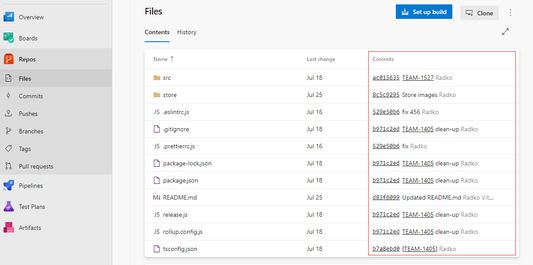
This extension transform Azure DevOps commits texts to Jira links
The most efficient way to navigate from azure DevOps to Jira task. Free for all users of Azure dev ops. No more typing-in task name into the Jira search bar.
How to use SyAnna browser extension
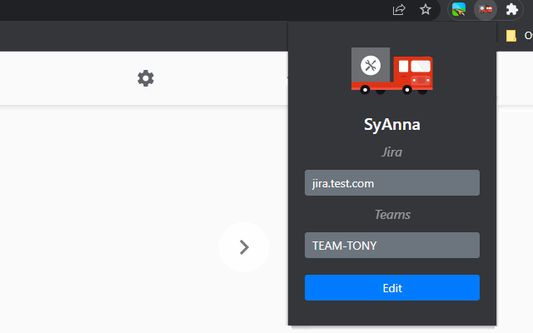
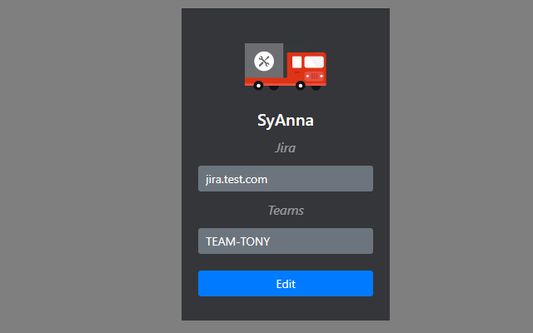
1. Open popup
2. Edit
3. Insert Jira link (jira.company.com)
4. Add your project or team name
5. Save settings
6. Reload Azure DevOps
After installing the SyAnna, the SyAnna extension will transform your commit.
Example:
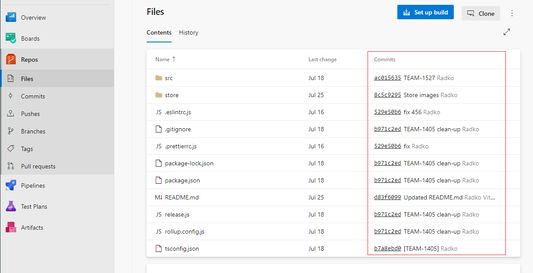
Commit: "[TEAM-165] - hotfix v2" we found "TEAM-165" and make a link "jira.company.com/browse/TEAM-165"
The most efficient way to navigate from azure DevOps to Jira task. Free for all users of Azure dev ops. No more typing-in task name into the Jira search bar.
How to use SyAnna browser extension
1. Open popup
2. Edit
3. Insert Jira link (jira.company.com)
4. Add your project or team name
5. Save settings
6. Reload Azure DevOps
After installing the SyAnna, the SyAnna extension will transform your commit.
Example:
Commit: "[TEAM-165] - hotfix v2" we found "TEAM-165" and make a link "jira.company.com/browse/TEAM-165"
Vurdert 0 av 0 meldarar
Løyve og data
Meir informasjon
- Versjon
- 1.3
- Storleik
- 39,11 KB
- Sist oppdatert
- 3 år sidan (27. jan. 2023)
- Liknande kategoriar
- Versjonshistorikk
- Legg til i samling