
Turn Off AI Overview | Disable AI - Gemi-no Autor: chrisl.im
Google Gemini? More like Gemi-no. Turn off AI Overview with udm=14 for clean search results. Simple and future-proof.
79 użytkowników79 użytkowników
Metadane rozszerzenia
Zrzuty ekranu



O tym rozszerzeniu
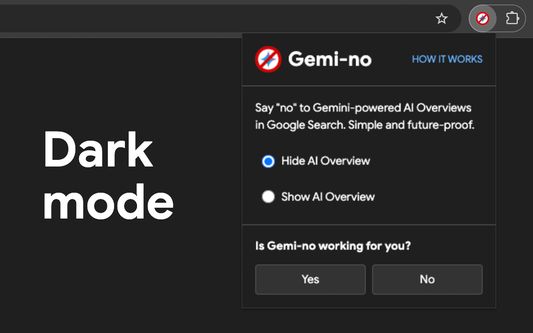
Hide AI Overviews in Google search with one click.
Instant results, no tracking, just works.
Gemi-no gives you clean, traditional Google search results without AI-generated summaries that can be slow, inaccurate, or distracting.
🔵 Why Gemi-no?
✓ Instant - Intercepts searches before they load.
✓ Future-proof - Uses Google's own udm=14 parameter, not fragile CSS hacks.
✓ Private - Zero tracking. No data collection. Ever.
✓ Simple - One toggle switch. That's it.
🔵 How it works
Gemi-no intercepts your searches and adds Google's udm=14 parameter, which tells Google to bypass AI Overviews and redirect you to the "Web" version of Google Search.
This is the same method Google uses internally, making it reliable and resistant to breaking changes.
→ How it works: https://chrisl.im/gemino/how-it-works
🔵 How Gemi-no is different to other extensions
There are lots of ways to hide AI Overview in Google Search. Many extensions break when Google updates their search results page, or something as trivial as users using a different language in their browser.
I've tried them all and tested the limits of each method, and settled on a lightweight simple logic that leverages "udm=14" to the end of every search — an official, non-hacky method that it works every time.
→ What is udm=14?: https://chrisl.im/gemino/what-is-udm-14
🔵 Who it's for
✓ People who want real sources, not AI summaries
✓ Anyone tired of AI hallucinations
✓ Those who want the classic Google Search back
🔵 More information and feedback:
→ https://chrisl.im/gemino
→ https://chrisl.im/gemino/feedback
--
Gemi-no is not affiliated with Google.
"Google" and "Gemini" are trademarks of Google LLC.
Instant results, no tracking, just works.
Gemi-no gives you clean, traditional Google search results without AI-generated summaries that can be slow, inaccurate, or distracting.
🔵 Why Gemi-no?
✓ Instant - Intercepts searches before they load.
✓ Future-proof - Uses Google's own udm=14 parameter, not fragile CSS hacks.
✓ Private - Zero tracking. No data collection. Ever.
✓ Simple - One toggle switch. That's it.
🔵 How it works
Gemi-no intercepts your searches and adds Google's udm=14 parameter, which tells Google to bypass AI Overviews and redirect you to the "Web" version of Google Search.
This is the same method Google uses internally, making it reliable and resistant to breaking changes.
→ How it works: https://chrisl.im/gemino/how-it-works
🔵 How Gemi-no is different to other extensions
There are lots of ways to hide AI Overview in Google Search. Many extensions break when Google updates their search results page, or something as trivial as users using a different language in their browser.
I've tried them all and tested the limits of each method, and settled on a lightweight simple logic that leverages "udm=14" to the end of every search — an official, non-hacky method that it works every time.
→ What is udm=14?: https://chrisl.im/gemino/what-is-udm-14
🔵 Who it's for
✓ People who want real sources, not AI summaries
✓ Anyone tired of AI hallucinations
✓ Those who want the classic Google Search back
🔵 More information and feedback:
→ https://chrisl.im/gemino
→ https://chrisl.im/gemino/feedback
--
Gemi-no is not affiliated with Google.
"Google" and "Gemini" are trademarks of Google LLC.
Ocenione na 0 przez 0 recenzentów
Uprawnienia i dane
Wymagane uprawnienia:
- Mieć dostęp do historii przeglądania
- Mieć dostęp do kart przeglądarki
- Mieć dostęp do aktywności przeglądarki podczas nawigacji
- Mieć dostęp do danych użytkownika w domenie „google.com”
- Mieć dostęp do danych użytkownika na stronie „www.google.com”
Zbieranie danych:
- Autorzy tego rozszerzenia twierdzą, że nie wymaga ono zbierania danych.
Więcej informacji
- Odnośniki dodatku
- Wersja
- 1.2.2
- Rozmiar
- 145,38 KB
- Ostatnia aktualizacja
- 2 miesiące temu (13 cze 2026)
- Powiązane kategorie
- Licencja
- Wszelkie prawa zastrzeżone
- Historia wersji
- Dodaj do kolekcji