Extras do Firefox
  • Extensões
  • Temas
    • para o Firefox
    • Dicionários e pacotes de idiomas
    • Outros sites de navegadores
    • Extras para Android
Iniciar sessão
Pré-visualização de QR Issue Card Printer PRO for Jira Cloud

QR Issue Card Printer PRO for Jira Cloud por MrAddon

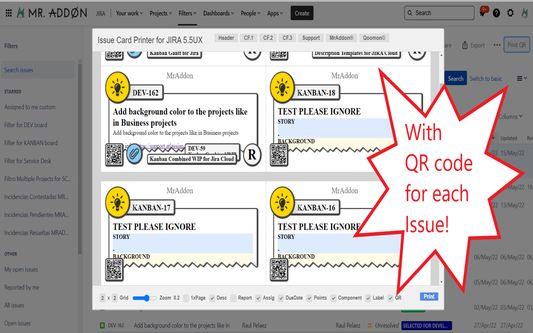
Print your filters and issues with a single click, with a configurable and beautiful layout.Show a large QR code in each card to quickly locate your tickets.Now you can also print from your Kanban or Scrum board and from your backlog view!New feature

ExperimentalExperimental
0 (0 reviews)0 (0 reviews)
2 Users2 Users
Transferir o Firefox e obter a extensão
Transferir ficheiro

Metadados da extensão

Capturas de ecrã
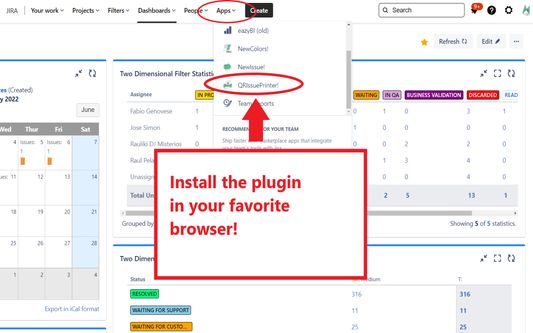
Install the add-on in your favorite browser!
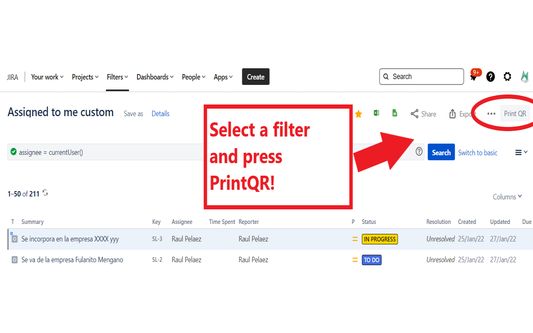
Go to Apps → QRIssuePrinter! and install the add-on in your favorite browserPush PrintQR! button in issues, filters or boards
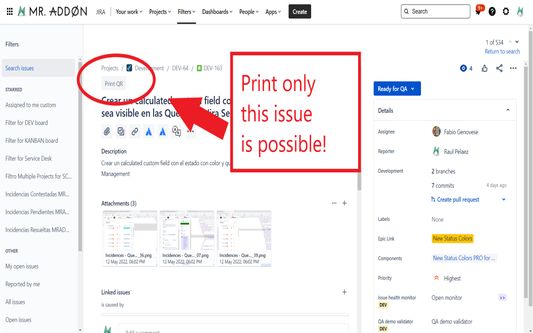
That’s all! Now take a look in your Issues, Filters and Kanban/SCRUM boards and backlogs and you will see a new button “Print QR”Ready to print in one click!!
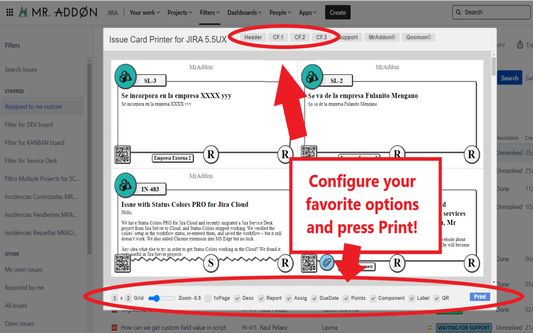
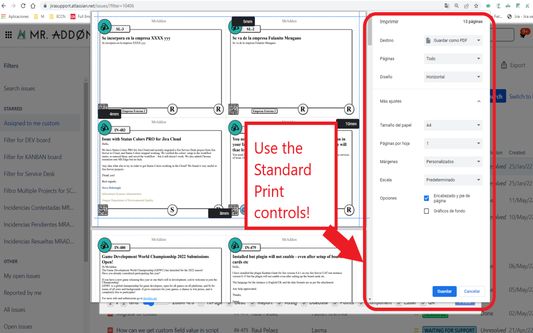
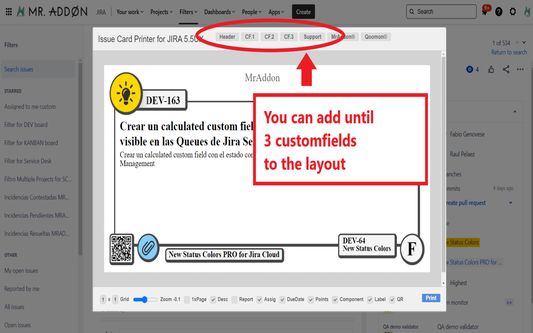
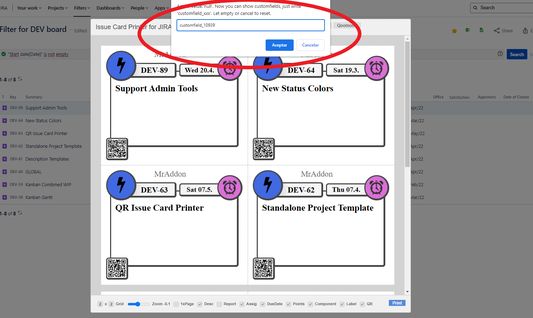
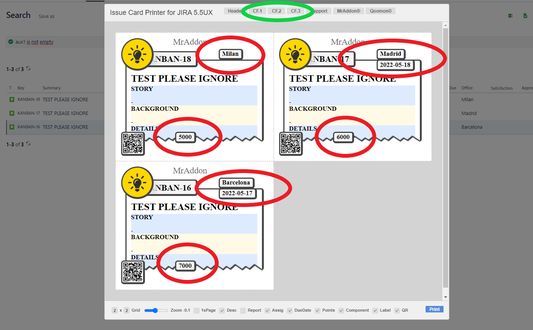
After press the “Print QR” button you will see a beatiful cards ready to print in one click!!Just configure the final part, page margins and Save it as PDF or just print in your usual printer!Now we can configure show/hide the system fields of Jira, we have a Zoom control and grid control, also of course, the QR code.If you need to print only one issue, it’s possible of course! Search the “Print QR” button and that’s all!Click in CF1 or CF2 or CF3 buttons and add the “customfield_xxxx” value where “xxxx” is the ID of the customfieldClick in CF1 or CF2 or CF3 buttons and add the “customfield_xxxx” value where “xxxx” is the ID of the customfieldClick in CF1 or CF2 or CF3 buttons and add the “customfield_xxxx” value where “xxxx” is the ID of the customfield
Acerca desta extensão
Print your filters and issues with a single click, with a configurable and beautiful layout.Show a large QR code in each card to quickly locate your tickets.Now you can also print from your Kanban or Scrum board and from your backlog view!New features coming soon!

Install the add-on in your favorite browser!
Go to Apps → QRIssuePrinter! and install the add-on in your favorite browser

Push PrintQR! button in issues, filters or boards
That’s all! Now take a look in your Issues, Filters and Kanban/SCRUM boards and backlogs and you will see a new button “Print QR”

Ready to print in one click!!
After press the “Print QR” button you will see a beatiful cards ready to print in one click!!

Vide summary: https://www.youtube.com/watch?v=AVp7n4f4qUk
Rated 0 by 0 reviewers
Iniciar sessão para avaliar esta extensão
Não existem avaliações ainda

Avaliação de estrelas guardada

5
0
4
0
3
0
2
0
1
0
Ainda sem análises
Permissions and data

Permissões necessárias:

  • Aceder aos seus dados para sites no domínio atlassian.net
  • Aceder aos seus dados para sites no domínio jira.com

Permissões opcionais:

  • Aceder aos seus dados para sites no domínio atlassian.net
  • Aceder aos seus dados para sites no domínio jira.com
Saber mais
Mais informação
Ligações do extra
  • Página inicial
  • Site de apoio
  • Email de apoio
Versão
7.3.0
Tamanho
170,84 KB
Última atualização
há 4 meses (18 de dez de 2025)
Categorias relacionadas
  • Desenvolvimento da web
Licença
Licença Pública Mozilla 2.0
Histórico de versões
  • Ver todas as versões
Adicionar à coleção
Reportar este extra
Ir para a página inicial da Mozilla

Extras

  • Acerca
  • Blogue de extras do Firefox
  • Workshop de extensões
  • Central do programador
  • Políticas de programador
  • Blogue da comunidade
  • Fórum
  • Reportar um erro
  • Guia de análise

Navegadores

  • Desktop
  • Mobile
  • Enterprise

Produtos

  • Browsers
  • VPN
  • Relay
  • Monitor
  • Pocket
  • Bluesky (@firefox.com)
  • Instagram (Firefox)
  • YouTube (firefoxchannel)
  • Privacidade
  • Cookies
  • Informação legal

Exceto onde anotado o contrário, o conteúdo neste site está licenciado sob a licença Creative Commons Atribuição-CompartilhaIgual v3.0 ou qualquer versão mais recente.