In Page Lookup de The Other Ream
Highlight a word and press some keys and a Wiki article will present itself before your eyes for your reading pleasure. Press some other keys and gone will be the article so you can continue on your browsing journey knowing just a bit more on a topic
4 utilizatori4 utilizatori
Metadate extensie
Capturi de ecran
Despre această extensie
In Page Lookup is an extension that lets you look up a word on almost any page without needing to open a new tab.
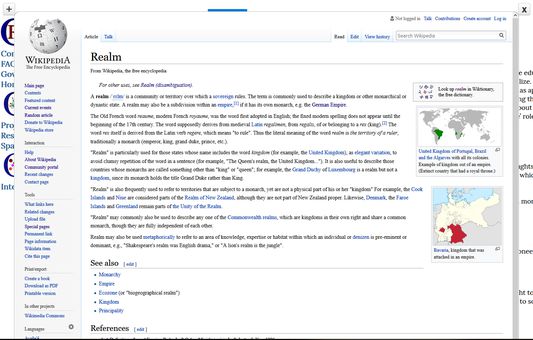
To look up a word on Wikipedia just highlight the word and right click and choose "InPageLookup" and a sub-option.
An easier way to do it though is to click a combination of keyboard characters (default:
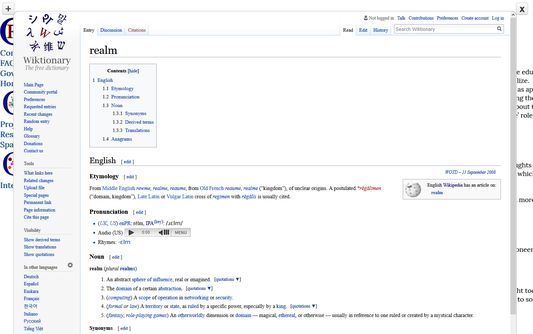
To look up a word on Wiktionary just highlight the word and click a combination of keyboard characters (default: <code>ControlLeft+AltLeft+2</code> ) and an overlay of the Wiktionary article will appear as an in-page overlay.
To close the overlay just highlight the word and click a combination of keyboard characters (default:
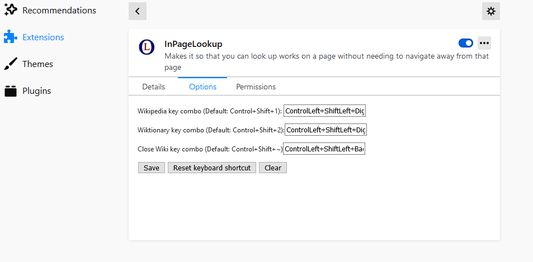
To change these keys, go to the tools/options dropdown and click "Extensions", find the "InPageLookup" one and click on it and then click "Options". Make sure you click save when you are done.
I do not, in anyway, track anything you do, the permissions that are necessary are necessary in order to show the Wiki information.
To look up a word on Wikipedia just highlight the word and right click and choose "InPageLookup" and a sub-option.
An easier way to do it though is to click a combination of keyboard characters (default:
ControlLeft+AltLeft+1) and an overlay of the Wikipedia article will appear as an in-page overlay.To look up a word on Wiktionary just highlight the word and click a combination of keyboard characters (default: <code>ControlLeft+AltLeft+2</code> ) and an overlay of the Wiktionary article will appear as an in-page overlay.
To close the overlay just highlight the word and click a combination of keyboard characters (default:
ControlLeft+AltLeft+, the key to the left of the '1' key if you have a different keyboard that doesn't have the ` key)To change these keys, go to the tools/options dropdown and click "Extensions", find the "InPageLookup" one and click on it and then click "Options". Make sure you click save when you are done.
I do not, in anyway, track anything you do, the permissions that are necessary are necessary in order to show the Wiki information.
Most of the add-on is old code from an old Firefox Add-On that doesn't work anymore and even that add-on was an attempt at reviving the functionally of an even older add-on that stopped working many years ago. I will try to add more functionality, such as allowing in page lookup from other search engines, and allowing you to view a history of the search terms you looked up. Just thought I would start with the bare minimum and grow from there. This code uses functionality from jQuery, and jQuery-UI.
Evaluat cu 5 de către 1 recenzor
Permisiuni și date
Permisiuni necesare:
- Să acceseze filele browserului
- Să acceseze activitatea browserului în timpul navigării
- Să îți acceseze datele pentru toate site-urile web
Mai multe informații
- Versiune
- 2.1.3
- Mărime
- 4,08 MB
- Ultima actualizare
- 5 ani în urmă (4 ian. 2021)
- Categorii conexe
- Politică de confidențialitate
- Citește politica de confidențialitate pentru acest supliment
- Istoricul versiunilor
- Etichete
- Adaugă în colecție
Dezvoltatorul acestei extensii îți solicită să contribui pentru sprijinirea dezvoltării continue printr-o mică donație.