
Movavi ScreenShot de Utilizator Firefox 14784087
Movavi ScreenShot is a screenshot extension for Firefox that lets you grab full and partial screen captures as well as save screenshots in multiple formats.
1.561 de utilizatori1.561 de utilizatori
Metadate extensie
Capturi de ecran

Despre această extensie
Movavi ScreenShot is a screenshot extension for Firefox that lets you grab full and partial screen captures as well as save screenshots in multiple formats.
To take a screenshot and save it at high quality is easier than you might think. Install the free screen capture tool from Movavi and start taking webpage screenshots today. It’s equally handy for taking a Chrome screenshot of the entire page or just capturing a small part of the screen.
The main features of the Movavi screenshot tool:
Suits to any browser – Google Chrome, Mozilla Firefox, etc.
Can grab Chrome screenshots at multiple sizes: Chrome full page screenshots, specific parts of the screen, or full screen capture, including all open tabs.
Requires no special permissions for installation.
Can be used in incognito mode.
Free for download.
To install the extension, hit the Add to Chrome button in the top right corner of this page.
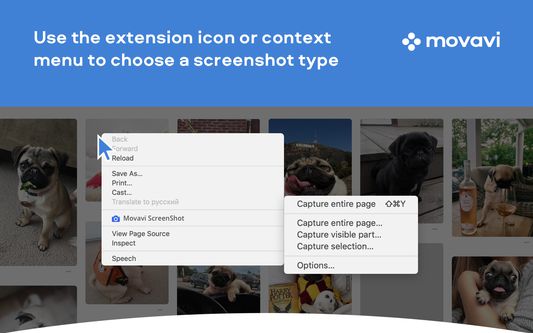
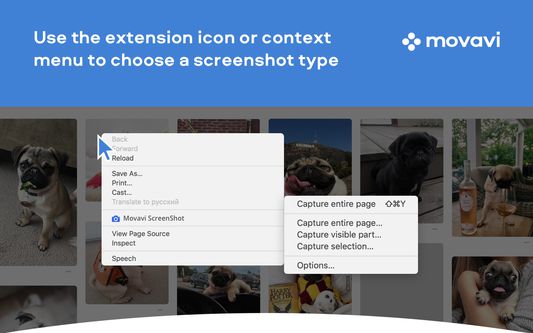
Check that the ScreenShot icon has appeared in the top right corner of your browser. Hit it and choose the size of the area you want to capture – the entire page, the full screen, or selected parts. Scrolling down the page from top to bottom causes Movavi ScreenShot to capture the page automatically. Wait for a few seconds until the capturing process is finished. Save the screenshot to your computer, choosing an appropriate format and folder. The image will be saved in JPG format by default. Now you can edit the screenshot whenever you wish or upload it to the cloud.
To take a screenshot and save it at high quality is easier than you might think. Install the free screen capture tool from Movavi and start taking webpage screenshots today. It’s equally handy for taking a Chrome screenshot of the entire page or just capturing a small part of the screen.
The main features of the Movavi screenshot tool:
Suits to any browser – Google Chrome, Mozilla Firefox, etc.
Can grab Chrome screenshots at multiple sizes: Chrome full page screenshots, specific parts of the screen, or full screen capture, including all open tabs.
Requires no special permissions for installation.
Can be used in incognito mode.
Free for download.
To install the extension, hit the Add to Chrome button in the top right corner of this page.
Check that the ScreenShot icon has appeared in the top right corner of your browser. Hit it and choose the size of the area you want to capture – the entire page, the full screen, or selected parts. Scrolling down the page from top to bottom causes Movavi ScreenShot to capture the page automatically. Wait for a few seconds until the capturing process is finished. Save the screenshot to your computer, choosing an appropriate format and folder. The image will be saved in JPG format by default. Now you can edit the screenshot whenever you wish or upload it to the cloud.
Evaluat cu 3,3 de către 33 de recenzori
Permisiuni și date
Permisiuni necesare:
- Să descarce fișiere și să citească sau să modifice istoricul descărcărilor din browser
- Să acceseze filele browserului
- Să îți acceseze datele pentru toate site-urile web
Mai multe informații
- Linkurile suplimentului
- Versiune
- 1.2.12
- Mărime
- 503,36 KB
- Ultima actualizare
- 7 ani în urmă (26 apr. 2019)
- Categorii conexe
- Licență
- Licență MIT
- Istoricul versiunilor
- Adaugă în colecție