
Snooze Master de em_te
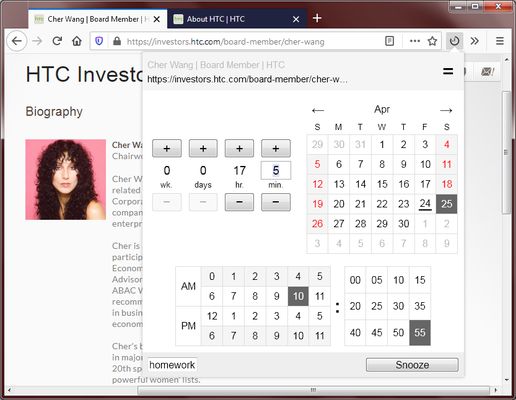
Snooze the selected tabs by clicking and selecting a wake up time. Specify a relative time or absolute time and enter a reminder message. The tab's history is restored too if the tab was recently closed.
28 de utilizatori28 de utilizatori
Metadate extensie
Capturi de ecran

Despre această extensie
To snooze the current tab, click on the toolbar icon and then select a wake up time. The tab will close itself and will reopen at the designated time.
Features:
Use cases:
Speed tips:
Features:
- Specify a relative wake up time (e.g. 1 hour later)
- Specify an absolute wake up time (e.g. 10:00 am)
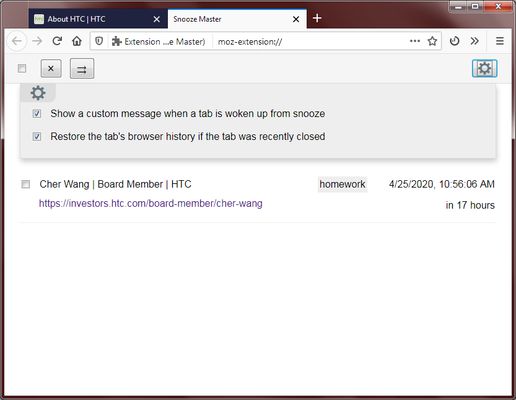
- Add a reminder message that appears when the tab wakes up
- Restores the tab's history if the tab was recently closed
- Snooze multiple tabs at once by ctrl+clicking on multiple tabs
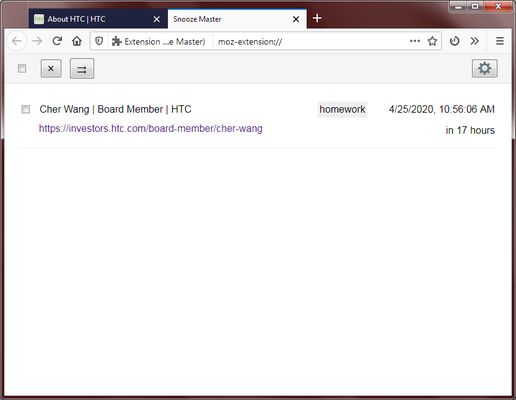
- View a list of all your snoozed tabs with their wake up times
- Quickly snooze a tab by right clicking on the toolbar icon (choose 1 hour later, 5 pm, 9 am tomorrow, or 1 week later)
- Restores incognito tabs and container tabs
- This extension requires very few permissions
Use cases:
- Remind yourself to view something in the future
- Avoid having too many tabs obscure your vision
- Turn tabs into a todo list
Speed tips:
- Double click on the calendar's selected date/time to confirm and quickly close the popup.
- If you select a time that is earlier than now, the date picker will automatically jump to tomorrow's date.
- If you type a number that is over 60 in the minutes box, it will automatically put the excess into the hours.
- Press the keyboard's Up/Down button while inside the minutes box to increase/decrease the minutes.
- If you are inside any text input box, press enter to confirm and close the popup.
- If you want to quickly select the last used snooze time, right click on the toolbar icon and select the option with the star.
- Use the keyboard shortcut Ctrl-Shift-1 to open the popup and immediately start typing minutes.
Evaluat cu 3,4 de către 9 recenzori
Permisiuni și date
Permisiuni necesare:
- Să acceseze filele închise recent
Permisiuni opționale:
- Să îți afișeze notificări
- Să acceseze filele browserului
Mai multe informații
- Versiune
- 0.2.9
- Mărime
- 47,22 KB
- Ultima actualizare
- 6 ani în urmă (13 mai 2020)
- Categorii conexe
- Istoricul versiunilor
- Adaugă în colecție