
Tab Monitor de pansonben
Monitor your tabs for changes!
Metadate extensie
Capturi de ecran
Despre această extensie
Features:
Private and secure
- Be in control and use your own browser to keep track of website updates
- No logs are kept, and everything remains in your browser
- Works with websites that are only viewable after login
Customizable
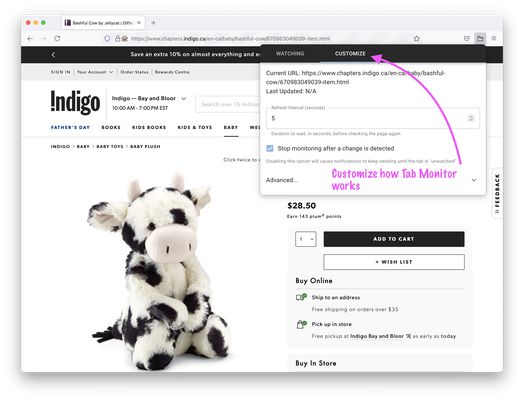
- Check a website for updates as often as you want, as fast as every second!
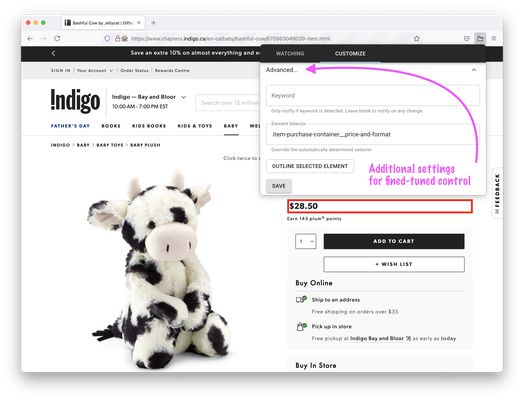
- Check for changes on the entire page, or a specific part of a page
- [Optional]: Only get notifications on specific word changes
- [Optional]: keep getting notified until you acknowledge the change
Getting Started:
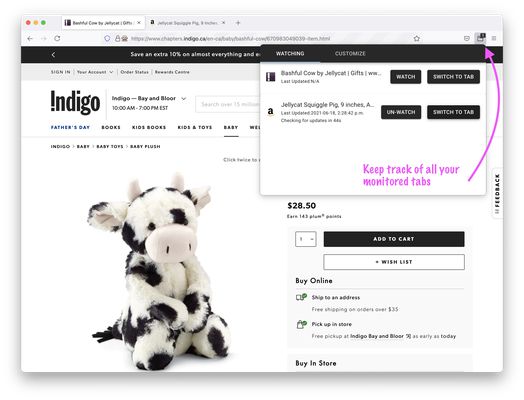
1. Click the Tab Monitor icon and click the “Watch” button
OR
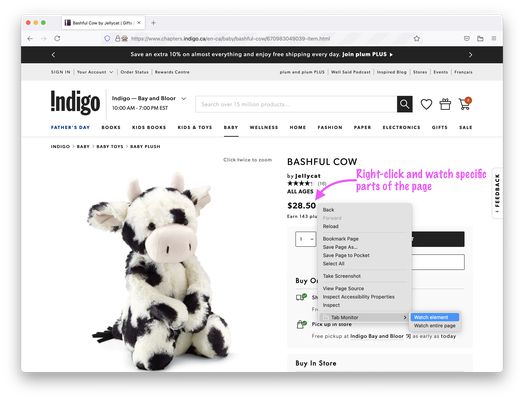
Right-click the area of interest and select “Watch element” or “Watch entire page” from the Tab Monitor menu item
2. That’s it! You may navigate away, and the tab will refresh in the background
Permissions
In order to function, Tab Monitor requests for the following permissions:
- “<all_urls>” and “tabs” – for Tab Monitor to work on any website and any tab
- “storage” and “unlimitedStorage” – to determine if a page has changed or not
- “notifications” – Tab Monitor will use browser notifications to let you know when a tab has changed
- “contextMenus” – to let you select certain elements on a website
More features coming soon!
Your feedback is always welcome, please send an email to bpan.feedback (at) gmail.com
Private and secure
- Be in control and use your own browser to keep track of website updates
- No logs are kept, and everything remains in your browser
- Works with websites that are only viewable after login
Customizable
- Check a website for updates as often as you want, as fast as every second!
- Check for changes on the entire page, or a specific part of a page
- [Optional]: Only get notifications on specific word changes
- [Optional]: keep getting notified until you acknowledge the change
Getting Started:
1. Click the Tab Monitor icon and click the “Watch” button
OR
Right-click the area of interest and select “Watch element” or “Watch entire page” from the Tab Monitor menu item
2. That’s it! You may navigate away, and the tab will refresh in the background
Permissions
In order to function, Tab Monitor requests for the following permissions:
- “<all_urls>” and “tabs” – for Tab Monitor to work on any website and any tab
- “storage” and “unlimitedStorage” – to determine if a page has changed or not
- “notifications” – Tab Monitor will use browser notifications to let you know when a tab has changed
- “contextMenus” – to let you select certain elements on a website
More features coming soon!
Your feedback is always welcome, please send an email to bpan.feedback (at) gmail.com
Evaluat cu 3 de către 1 recenzor
Permisiuni și date
Permisiuni necesare:
- Să îți afișeze notificări
- Să acceseze filele browserului
- Să îți acceseze datele pentru toate site-urile web
Mai multe informații
- Linkurile suplimentului
- Versiune
- 1.0.1
- Mărime
- 175,29 KB
- Ultima actualizare
- 5 ani în urmă (22 iun. 2021)
- Categorii conexe
- Licență
- Mozilla Public License 2.0
- Istoricul versiunilor
- Adaugă în colecție