
Tail Lens for Tailwind: Edit Visually de CMW Labs
Inspect. Edit. Build. Tailwind, right in your browser.
Unele funcționalități pot fi cu platăUnele funcționalități pot fi cu plată
19 utilizatori19 utilizatori
Metadate extensie
Capturi de ecran


Despre această extensie
Inspect. Edit. Build. Tailwind, right in your browser.
Tail Lens – Inspect, Edit, and Build Tailwind CSS Visually
How to view, search, edit tail wind classes?
Tail Lens is a developer-focused Chrome extension that helps you inspect, edit, and debug Tailwind CSS classes visually, right in your browser.
No more devtools digging, guessing which utility class is affecting your layout, or constantly switching between tabs. Tailwind Lens brings clarity and speed to your frontend workflow with live Tailwind class previews, smart editing, and visual overlays.
Key Features
🎯 Smart Class Alternatives
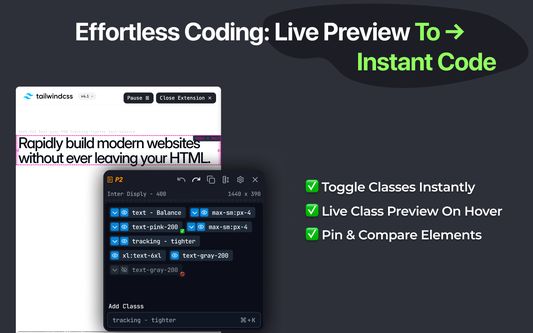
Instantly view and switch between Tailwind class alternatives. Get intelligent suggestions based on your current classes.
⚡ Search & Preview Any Class
Search any Tailwind class (including custom config), preview with Alt key, and apply with a single click. See changes instantly.
⚡ Live Class Preview on Hover
Hover over class alternatives (e.g., flex-col) to preview layout changes instantly — no reloads.
📌 Pin & Compare Elements
Lock popups with Space and inspect multiple components side-by-side.
👁️ Toggle Classes Instantly
Enable/disable any class visually to test layout and behavior.
📏 Layout & Spacing Guides
See real-time overlays for margin, padding, height, and position.
Undo/Redo Support
Quickly step through your changes without losing context.
↩️ Undo / Redo Support
Easily go back and forth through your changes with shortcuts.
📋 One-Click Class Copy
Copy all applied classes from any element with a single click.
🛠️ Tailwind v3/v4 + Custom Config Support
Understands your tailwind.config.js, including themes and breakpoints. Supports both Tailwind CSS v3 and v4 (including v4's new CSS config structure).
Tail Lens – Inspect, Edit, and Build Tailwind CSS Visually
How to view, search, edit tail wind classes?
Tail Lens is a developer-focused Chrome extension that helps you inspect, edit, and debug Tailwind CSS classes visually, right in your browser.
No more devtools digging, guessing which utility class is affecting your layout, or constantly switching between tabs. Tailwind Lens brings clarity and speed to your frontend workflow with live Tailwind class previews, smart editing, and visual overlays.
Key Features
🎯 Smart Class Alternatives
Instantly view and switch between Tailwind class alternatives. Get intelligent suggestions based on your current classes.
⚡ Search & Preview Any Class
Search any Tailwind class (including custom config), preview with Alt key, and apply with a single click. See changes instantly.
⚡ Live Class Preview on Hover
Hover over class alternatives (e.g., flex-col) to preview layout changes instantly — no reloads.
📌 Pin & Compare Elements
Lock popups with Space and inspect multiple components side-by-side.
👁️ Toggle Classes Instantly
Enable/disable any class visually to test layout and behavior.
📏 Layout & Spacing Guides
See real-time overlays for margin, padding, height, and position.
Undo/Redo Support
Quickly step through your changes without losing context.
↩️ Undo / Redo Support
Easily go back and forth through your changes with shortcuts.
📋 One-Click Class Copy
Copy all applied classes from any element with a single click.
🛠️ Tailwind v3/v4 + Custom Config Support
Understands your tailwind.config.js, including themes and breakpoints. Supports both Tailwind CSS v3 and v4 (including v4's new CSS config structure).
Evaluat cu 5 de către 2 recenzori
Permisiuni și date
Permisiuni necesare:
- Să acceseze filele browserului
- Să îți acceseze datele pentru toate site-urile web
Mai multe informații
- Linkurile suplimentului
- Versiune
- 2.1.9
- Mărime
- 599,53 KB
- Ultima actualizare
- 7 luni în urmă (22 aug. 2025)
- Categorii conexe
- Licență
- Toate drepturile rezervate
- Politică de confidențialitate
- Citește politica de confidențialitate pentru acest supliment
- Istoricul versiunilor
- Adaugă în colecție