Dodatki za brskalnik Firefox
  • Razširitve
  • Teme
    • za Firefox
    • Slovarji in jezikovni paketi
    • Druge strani brskalnika
    • Dodatki za Android
Prijava
Predogled "QR Issue Card Printer PRO for Jira Cloud"

QR Issue Card Printer PRO for Jira Cloud — MrAddon

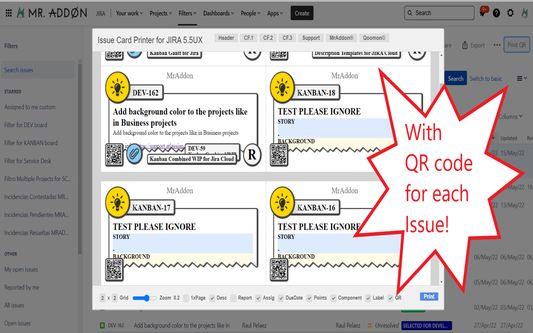
Print your filters and issues with a single click, with a configurable and beautiful layout.Show a large QR code in each card to quickly locate your tickets.Now you can also print from your Kanban or Scrum board and from your backlog view!New feature

PoskusenPoskusen
0 (0 ocen)0 (0 ocen)
2 uporabnika2 uporabnika
Prenesite Firefox in pridobite razširitev
Prenesi datoteko

Metapodatki o razširitvi

Posnetki zaslona
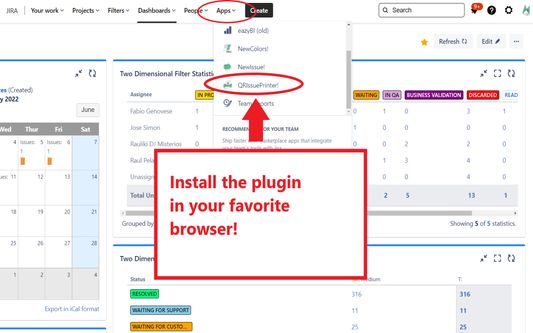
Install the add-on in your favorite browser!
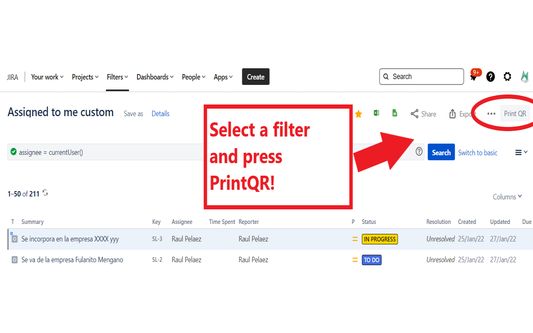
Go to Apps → QRIssuePrinter! and install the add-on in your favorite browserPush PrintQR! button in issues, filters or boards
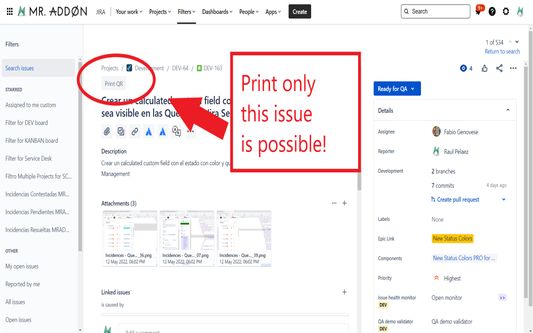
That’s all! Now take a look in your Issues, Filters and Kanban/SCRUM boards and backlogs and you will see a new button “Print QR”Ready to print in one click!!
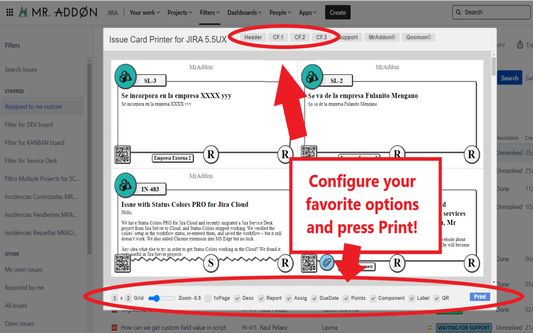
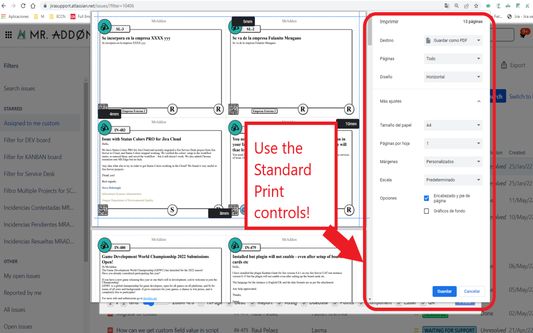
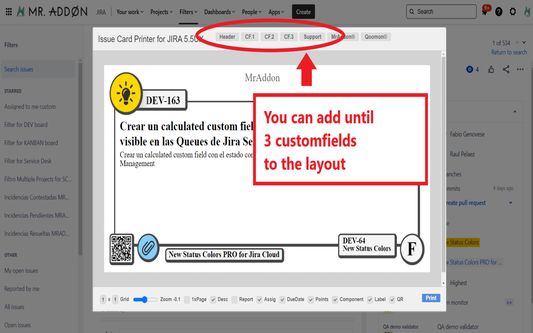
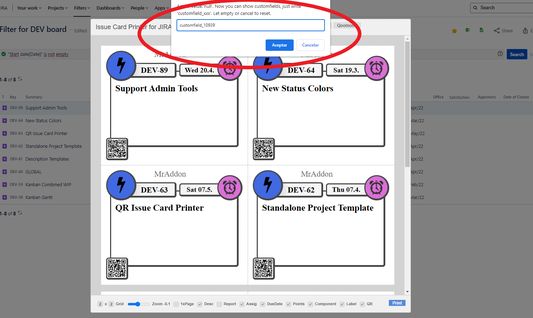
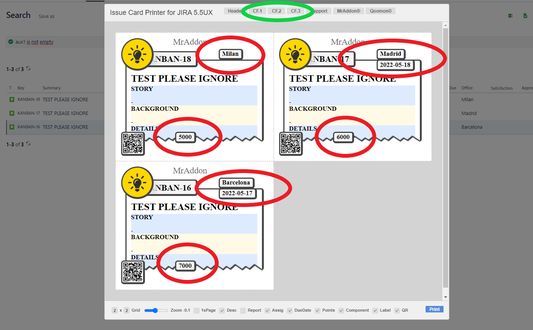
After press the “Print QR” button you will see a beatiful cards ready to print in one click!!Just configure the final part, page margins and Save it as PDF or just print in your usual printer!Now we can configure show/hide the system fields of Jira, we have a Zoom control and grid control, also of course, the QR code.If you need to print only one issue, it’s possible of course! Search the “Print QR” button and that’s all!Click in CF1 or CF2 or CF3 buttons and add the “customfield_xxxx” value where “xxxx” is the ID of the customfieldClick in CF1 or CF2 or CF3 buttons and add the “customfield_xxxx” value where “xxxx” is the ID of the customfieldClick in CF1 or CF2 or CF3 buttons and add the “customfield_xxxx” value where “xxxx” is the ID of the customfield
O tej razširitvi
Print your filters and issues with a single click, with a configurable and beautiful layout.Show a large QR code in each card to quickly locate your tickets.Now you can also print from your Kanban or Scrum board and from your backlog view!New features coming soon!

Install the add-on in your favorite browser!
Go to Apps → QRIssuePrinter! and install the add-on in your favorite browser

Push PrintQR! button in issues, filters or boards
That’s all! Now take a look in your Issues, Filters and Kanban/SCRUM boards and backlogs and you will see a new button “Print QR”

Ready to print in one click!!
After press the “Print QR” button you will see a beatiful cards ready to print in one click!!

Vide summary: https://www.youtube.com/watch?v=AVp7n4f4qUk
Ocena 0 (0 mnenj)
Prijavite se, da ocenite to razširitev
Še ni ocenjeno

Ocena shranjena

5
0
4
0
3
0
2
0
1
0
Še ni ocenjeno
Dovoljenja in podatki

Zahtevana dovoljenja:

  • dostopa do vaših podatkov za spletna mesta na domeni atlassian.net
  • dostopa do vaših podatkov za spletna mesta na domeni jira.com

Neobvezna dovoljenja:

  • dostopa do vaših podatkov za spletna mesta na domeni atlassian.net
  • dostopa do vaših podatkov za spletna mesta na domeni jira.com
Več o tem
Več informacij
Povezave dodatka
  • Domača stran
  • Stran s podporo
  • E-naslov za podporo
Različica
7.3.0
Velikost
170,84 KB
Zadnja posodobitev
pred 4 meseci (18. dec. 2025)
Sorodne kategorije
  • Razvoj za splet
Licenca
Mozilla Public License 2.0
Zgodovina različic
  • Ogled vseh različic
Dodaj v zbirko
Prijavi ta dodatek
Pojdi na domačo stran Mozille

Dodatki

  • O strani
  • Blog Dodatkov za Firefox
  • Delavnica razširitev
  • Razvojno središče
  • Pravilniki za razvijalce
  • Blog skupnosti
  • Forum
  • Prijavi hrošča
  • Smernice za ocene

Brskalniki

  • Desktop
  • Mobile
  • Enterprise

Izdelki

  • Browsers
  • VPN
  • Relay
  • Monitor
  • Pocket
  • Bluesky (@firefox.com)
  • Instagram (Firefox)
  • YouTube (firefoxchannel)
  • Zasebnost
  • Piškotki
  • Pravno obvestilo

Če ni navedeno drugače, je vsebina tega spletnega mesta na voljo pod licenco Creative Commons Attribution Share-Alike v3.0 ali pod katerokoli novejšo različico.