
DropFromClipboard geliştiren: ItsZariep
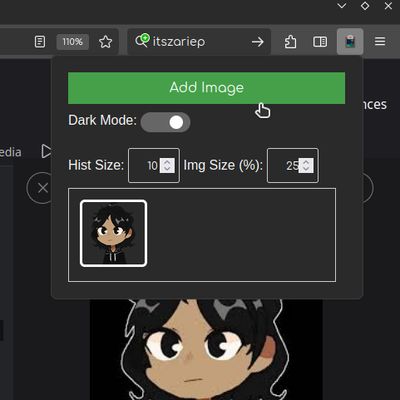
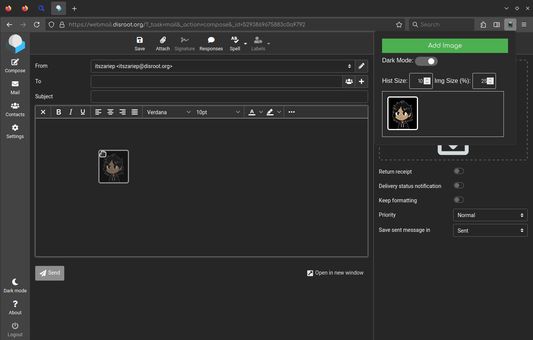
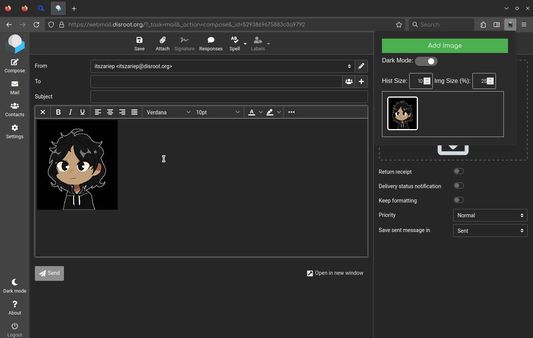
Display images from the clipboard to drop into a webpage.
2 kullanıcı2 kullanıcı
Uzantı meta verileri
Ekran görüntüleri
Bu uzantı hakkında
Display images from the clipboard to drop into a webpage.
# Features
- Image history
- Save up to 64 images in history.
- Change view zoom
- Useful if you have many images.
- Change history size
- If you don't need a large history, you can limit it or turn it off.
- Persistent data
- You can close the browser, and when you reopen it, your images will still be there.
- Dark/Light themes
- ---
> [!NOTE]
> This extensions may require external setup: Open about:config and set
> [!NOTE]
> On some webpages, it is not possible to drag and drop images from this extension due to website internal logic. Unfortunately, there isn't much I can do about this. However, since the images are visible in the UI, you can right-click and quickly download the copied image, which is faster than going back and searching for the image source.
# Features
- Image history
- Save up to 64 images in history.
- Change view zoom
- Useful if you have many images.
- Change history size
- If you don't need a large history, you can limit it or turn it off.
- Persistent data
- You can close the browser, and when you reopen it, your images will still be there.
- Dark/Light themes
- ---
> [!NOTE]
> This extensions may require external setup: Open about:config and set
dom.events.dataTransfer.imageAsFile.enabled as true> [!NOTE]
> On some webpages, it is not possible to drag and drop images from this extension due to website internal logic. Unfortunately, there isn't much I can do about this. However, since the images are visible in the UI, you can right-click and quickly download the copied image, which is faster than going back and searching for the image source.
0 inceleyiciden 0 puan aldı
İzinler ve veriler
Daha fazla bilgi
- Eklenti bağlantıları
- Sürüm
- 1.13
- Boyut
- 22,67 KB
- Son güncelleme
- 7 ay önce (16 Eki 2025)
- İlgili kategoriler
- Sürüm geçmişi
- Koleksiyona ekle
- Open
about:config- Set
dom.events.dataTransfer.imageAsFile.enabledtotrue