
Open Tabs from Clipboard автор nagadev
Quickly open all the URLs in your clipboard!
162 Users162 Users
Метадані розширення
Знімки екрана
Про це розширення
Open Clipboard as Tabs
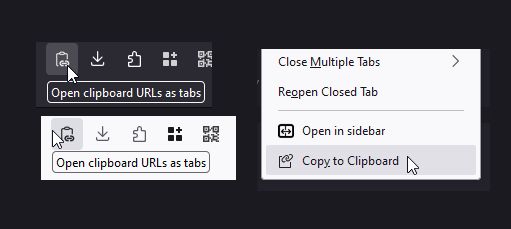
Select and copy one or more URLs from anywhere: Your URL bar, a text file, or even another browser. Click this tool's icon and they will all instantly open as separate tabs.
Copy Tabs to Clipboard
Also contains an extra tool: When right-clicking one or more tabs, you can copy them to the clipboard too!
Default keyboard shortcuts
Known limits
Pasting URLs currently has a few limitations:
Direct references to files might not work (
Select and copy one or more URLs from anywhere: Your URL bar, a text file, or even another browser. Click this tool's icon and they will all instantly open as separate tabs.
Copy Tabs to Clipboard
Also contains an extra tool: When right-clicking one or more tabs, you can copy them to the clipboard too!
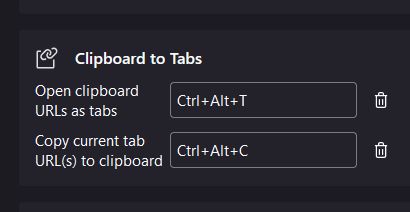
Default keyboard shortcuts
- Ctrl+Alt+T: Open tabs from clipboard
- Ctrl+Alt+C: Copy tabs to clipboard
Known limits
Pasting URLs currently has a few limitations:
about: URLs are mostly unsupported, due to browser restrictions.Direct references to files might not work (
file:// URLs do).I do my best to read comments in reviews! Links for support/contact coming soon.
Rated 5 by 3 reviewers
Permissions and data
Більше інформації
- Версія
- 1.1.1
- Розмір
- 47,4 КБ
- Востаннє оновлено
- рік тому (8 груд 2024 р.)
- Пов'язані категорії
- Ліцензія
- Усі права захищені
- Історія версій
- Додати до збірки