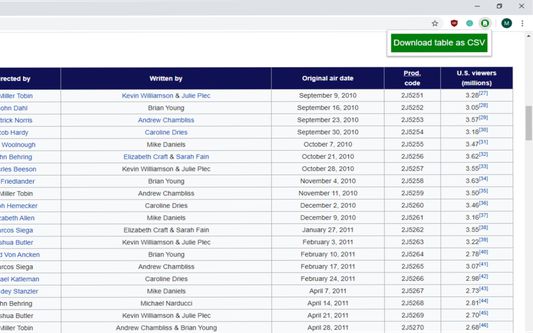
Download table as CSV bởi arktiv
Download HTML tables in MS Excel style CSV format Known issues with tables contained within iframes
Siêu dữ liệu mở rộng
Ảnh chụp màn hình
Về tiện ích mở rộng này
Download HTML tables in MS Excel style CSV format.
Simple to use!
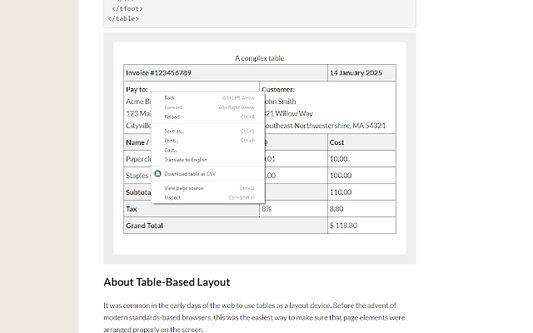
Right click on the table, then select 'Download table as CSV' from the context menu.
Alternatively you can click the icon and then click on the table to download
The extension downloads the HTML tables in MS Excel style CSV format.
Images will be show in the CSV file as the source URL.
Inputs and text-areas will be indicated in the CSV file with a '(i)'
Note: Sometimes special characters, symbols will not look as you might expect, this is not a bug, rather a limitation of the format.
Attempts to follow RFC4180
Source code: https://github.com/arktiv/table-csv-firefox/
Simple to use!
Right click on the table, then select 'Download table as CSV' from the context menu.
Alternatively you can click the icon and then click on the table to download
The extension downloads the HTML tables in MS Excel style CSV format.
Images will be show in the CSV file as the source URL.
Inputs and text-areas will be indicated in the CSV file with a '(i)'
Note: Sometimes special characters, symbols will not look as you might expect, this is not a bug, rather a limitation of the format.
Attempts to follow RFC4180
Source code: https://github.com/arktiv/table-csv-firefox/
Được xếp hạng 4,7 (bởi 1 người dùng)
Thêm thông tin
- Liên kết tiện ích
- Phiên bản
- 1.5
- Kích cỡ
- 13,11 KB
- Cập nhật gần nhất
- 6 năm trước (31 Thg 05 2020)
- Thể loại có liên quan
- Giấy phép
- Chỉ Giấy phép Công cộng GNU v3.0
- Lịch sử các phiên bản
- Thêm vào bộ sưu tập