MM3 Proxy Switch bởi MM3Tools
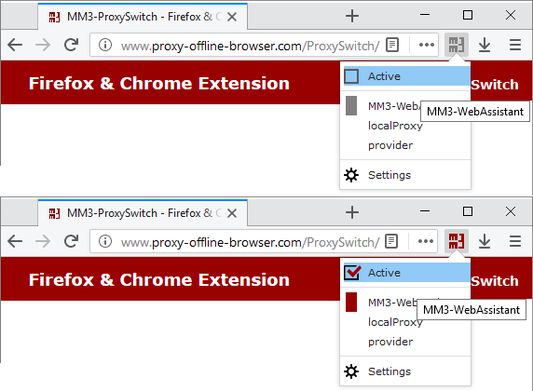
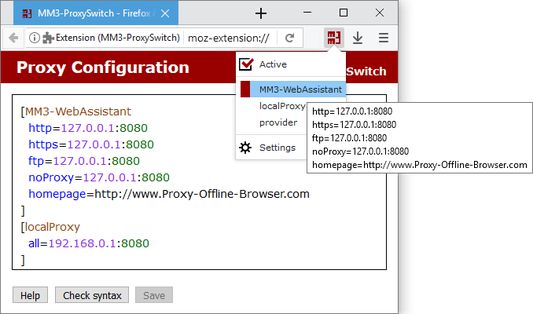
In the Firefox Browser (and other Mozilla programs) you can per default configure only the setting for one internet connection. With this Proxy Switch you can manage different configurations and simply switch over between these.
342 người dùng342 người dùng
Siêu dữ liệu mở rộng
Ảnh chụp màn hình
Về tiện ích mở rộng này
To switch between a direct connection or different proxy configurations you then must no longer respectively execute the dialog Connection Settings newly.
With this Proxy Switch you can toggle with one click between the direct connection to the internet and other proxy configurations.
::: Help :::
The MM3-ProxySwitch includes the operation instructions, this is availably additional on the homepage.
Use the forum at SourceForge.net or write an e-mail for us at problems.
With this Proxy Switch you can toggle with one click between the direct connection to the internet and other proxy configurations.
::: Help :::
The MM3-ProxySwitch includes the operation instructions, this is availably additional on the homepage.
Use the forum at SourceForge.net or write an e-mail for us at problems.
Display answers: Please click on all reviews.
Được xếp hạng 4,6 (bởi 1 người dùng)
Quyền hạn và dữ liệu
Quyền hạn bắt buộc:
- Xóa lịch sử duyệt web, cookie và dữ liệu liên quan gần đây
- Điều khiển cài đặt proxy của trình duyệt
- Truy cập dữ liệu của bạn trên mọi trang web
Thêm thông tin
- Liên kết tiện ích
- Phiên bản
- 2019
- Kích cỡ
- 46,75 KB
- Cập nhật gần nhất
- 6 năm trước (25 Thg 10 2019)
- Thể loại có liên quan
- Giấy phép
- Chỉ Giấy phép Công cộng GNU v3.0
- Lịch sử các phiên bản
- Thêm vào bộ sưu tập